
Tag-Based Fields in Audience Builder
Audience Builder includes two tag-powered fields—Tag Associations and Tag Engagement—that allow you to create more precise, data-driven audiences using tags.
These fields support different use cases:
-
Tag Associations focuses on who customers are associated with.
-
Tag Engagement focuses on how and when customers have engaged.
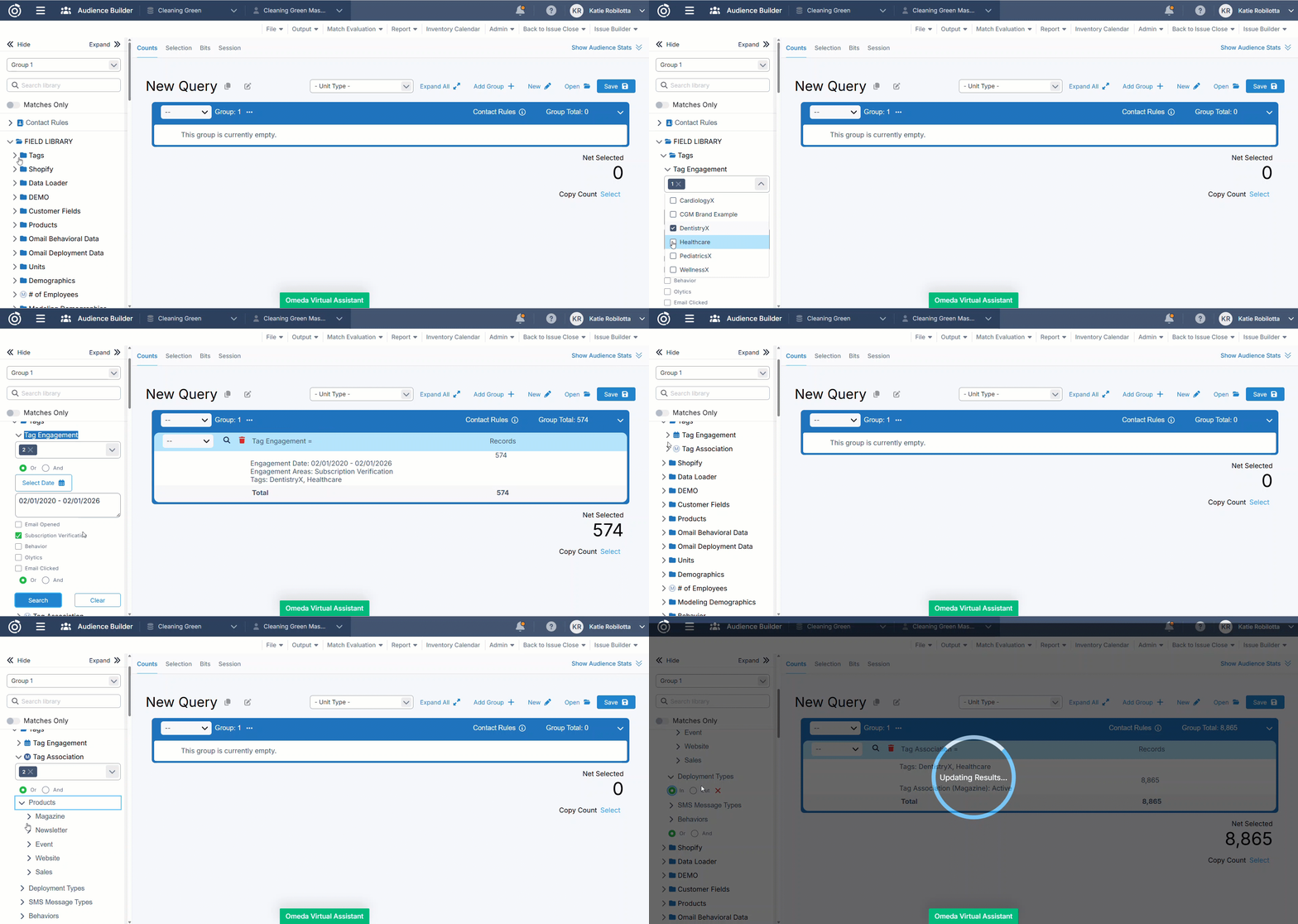
Tag Associations Field
Overview
The Tag Associations field allows you to build audiences based on whether customers are associated with one or more selected tags.
Tag associations are derived from active relationships across subscriptions, opt-ins, answered demographics, and behaviors, using the same logic as Audience Search.
This field is ideal for building audiences based on brand affiliation or market alignment.
Availability & Setup
-
In Audience Builder Configuration, open the new Tags folder.
-
Drag the Tag Associations field into your configuration and save.
-
Once added, the field appears in the left-hand panel of Audience Builder for the selected profile.
Tag Selection
-
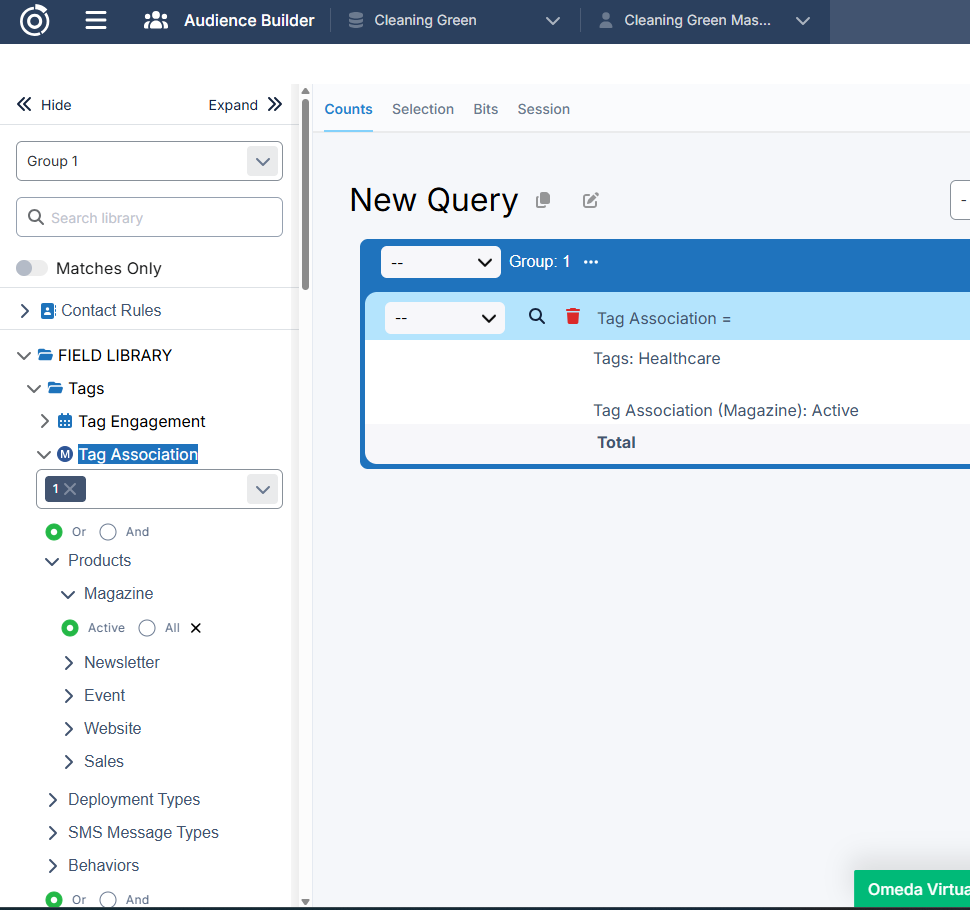
Select one or more tags from the multi-select dropdown.
-
Tags include all tags that have been created in the system.
Tag Matching Logic
Choose how multiple tags are evaluated:
-
OR (default)
Customers associated with at least one of the selected tags are included. -
AND
Only customers associated with all selected tags are included.
Asset-Specific Filtering
When tags are selected, asset-based fields in Audience Builder will only query assets associated with the selected tags, while still respecting AND / OR logic.
Supported asset types include:
-
Products
-
Magazines
-
Newsletters
-
Events
-
Websites
-
Sales
-
-
Deployment Types
-
SMS Message Types
-
Behaviors (Standard and Olytics)
Each applicable Product type supports Active or All filtering:
-
Active includes only customers with active associations, based on existing class definitions.
-
All includes customers with both active and inactive associations.
Audience Definition & Behavior
-
Selected tags appear in the Audience Definition Summary, formatted consistently with other fields.
-
Clearing selected tags updates the summary immediately.
-
Tag-based filtering works in conjunction with all other Audience Builder rules
-
If selected tags have no associated assets, related fields return empty results.
-
If selected tags are not associated with any customers, the query returns an empty audience.
-
If a tag is deleted, it is automatically removed from the Tag Associations filter.
-
If a saved audience references a deleted tag, the tag will not be included in the query.
Tag Engagement Field
Overview
The Tag Engagement field allows you to build audiences based on recent customer engagement activity associated with one or more selected tags.
This field is designed for time-based targeting, enabling you to identify customers who have interacted with tagged content, campaigns, or entities within a defined timeframe.
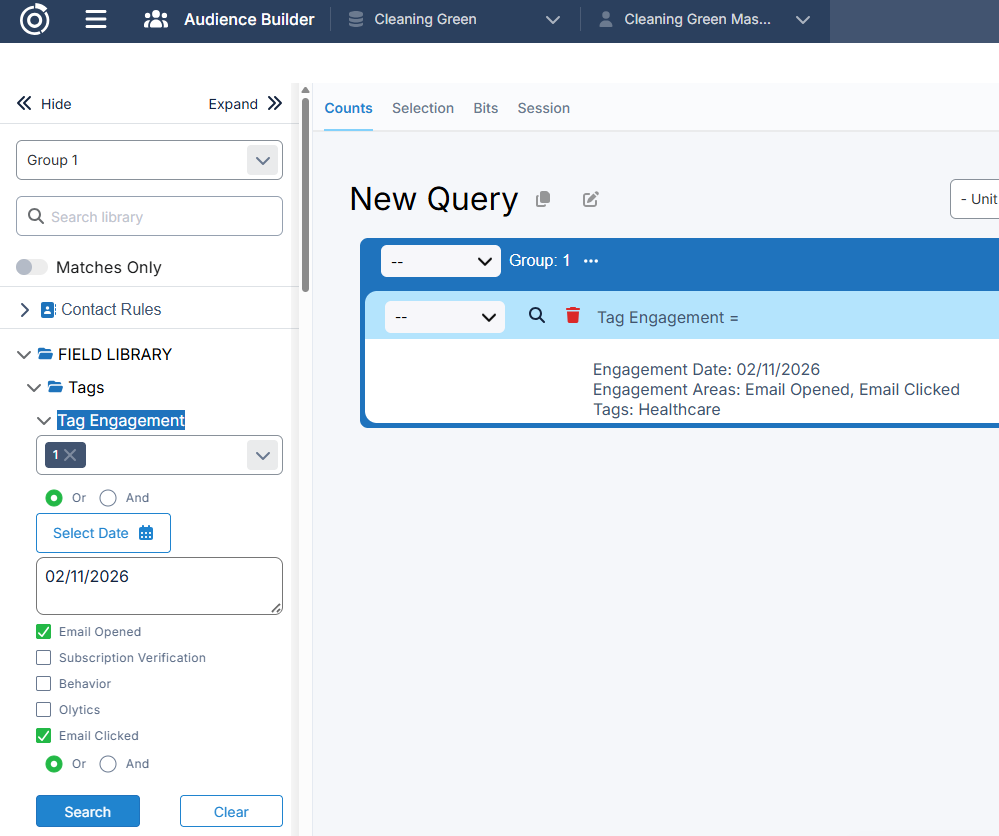
Availability & Setup
-
In Audience Builder Configuration, open the new Tags folder.
-
Drag the Tag Engagement field into your configuration and save.
-
Once added, the field appears in the left-hand panel of Audience Builder for the selected profile.
Tag Selection
-
Select one or more tags from the multi-select dropdown.
-
Tags include all tags that have been created in the system.
Tag Matching Logic
Choose how multiple tags are evaluated:
-
OR (default)
Customers associated with at least one of the selected tags are included. -
AND
Only customers associated with all selected tags are included.
Date Filtering
You can limit engagement results by selecting:
-
A specific date, or
-
A date range (start date and end date).
Only engagement activity occurring within the selected timeframe is included.
Engagement Types
Filter customers based on one or more engagement activities:
-
Emails opened
-
Emails clicked
-
Behaviors
-
Olytics behaviors
-
Subscription verification
Multiple engagement types can be selected.
Engagement Scoping Logic
Audience results are limited to customers who meet all of the following criteria:
-
Engagement is tied to the selected tag(s)
-
Engagement matches the selected engagement type(s)
-
Engagement occurred within the selected date or date range
Audience Definition & Behavior
-
Selected tags, engagement types, and date filters appear in the Audience Definition Summary.
-
Tag Engagement works alongside all other Audience Builder rules and filters.
-
If selected tags are not tied to any engagement activity within the timeframe, the query returns an empty audience.
Choosing the Right Field
|
Use Case |
Recommended Field |
|---|---|
|
Segment customers by brand, market, or general association |
Tag Associations |
|
Target customers based on recent interaction or activity |
Tag Engagement |
Table of Contents