
Release Highlights
Navigation
New Audience-First Platform Homepage
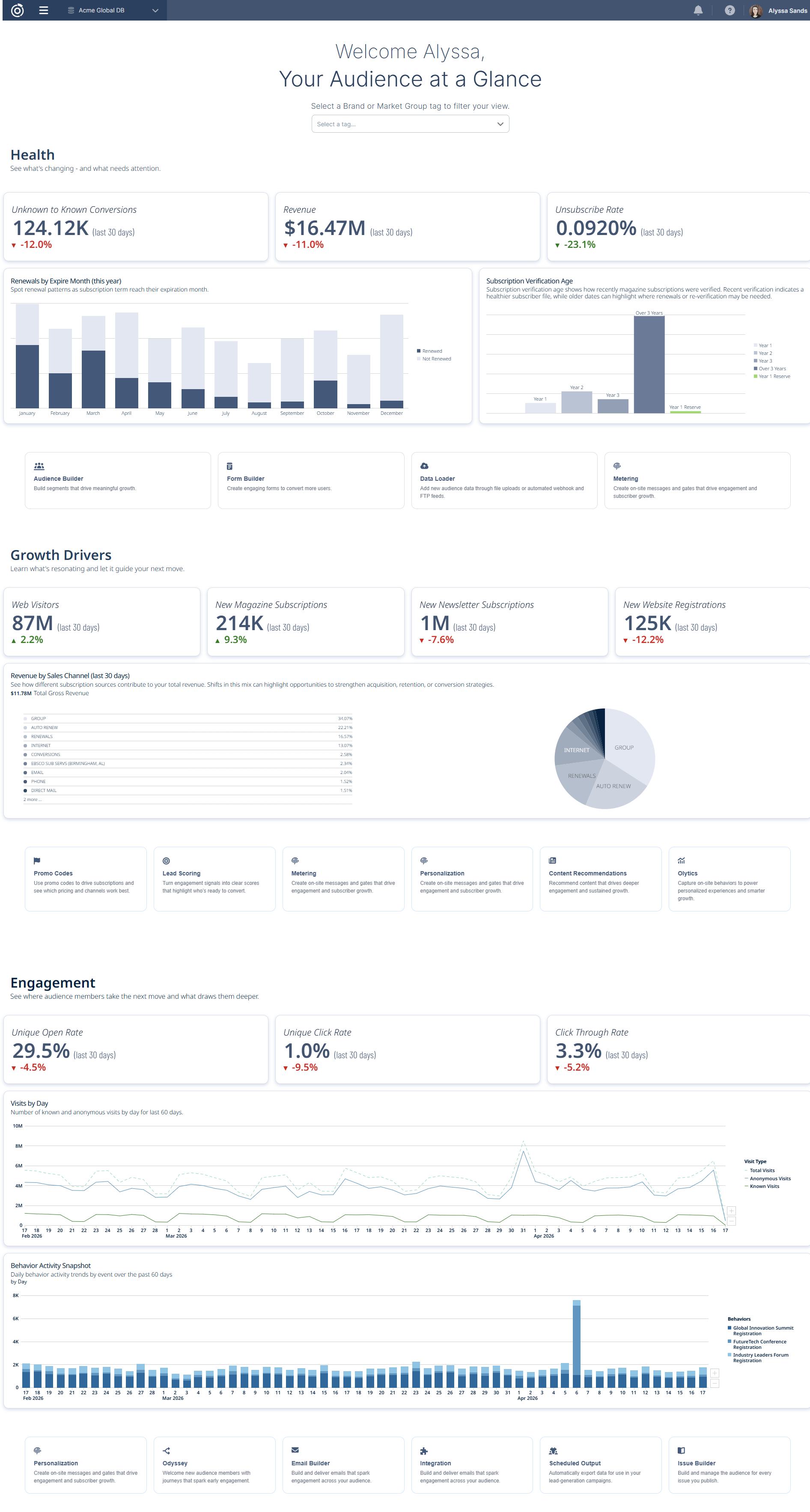
We’ve introduced a new homepage experience that replaces the existing navigation screen with an audience-first view of performance, insights, and actions.
Previously, users landed on a navigation screen at login that focused on tools rather than outcomes. To understand audience performance, users had to navigate to the right tools and manually pull reports—making it harder to quickly see what was happening.
The new homepage surfaces key signals around audience health, growth, and engagement at login, so users can quickly understand what’s happening and where to focus without navigating between tools or running reports. It also clarifies what actions to take and directs users to the right tools to drive outcomes. Users can filter the view by brand or market group to focus on the most relevant audience.
Modular sections provide visibility into performance and include direct entry points into relevant Omeda tools, enabling users to move from insight to action more efficiently.
Other Updates
Subscriptions
Mather Integration
The Mather Economics integration allows customers who use Mather for pricing analysis to automatically implement Mather's pricing suggestions into their auto-renewal flow.
A weekly job compiles all renewal subscriptions and their corresponding customer information into a file, then securely transmits it to Mather. Mather analyzes the data and returns a file with recommended price updates for each customer where there is a difference between their current price and the suggested one.
When the file is returned, we automatically insert price updates for any customers with a recommendation, provided they have not already received a notice. This ensures the first notice sent and all subsequent renewals reflect the new price. If a notice was already sent to a customer before the update was received, their price will not be updated for the upcoming renewal.
Content Recommendations
Recency Filtering for Tag-Based Content Recommendations
Tag-based content recommendations now prioritize more recent content by default. Eligible pages are limited to those created within the past year, helping ensure users see timely, relevant results.
Previously, there were no recency limits or prioritization in place, meaning older content could be recommended as long as it matched a user’s interests. This sometimes led to outdated content surfacing in recommendation experiences.
With this update, a one-year recency window is automatically applied—improving recommendation relevance out of the box with no additional configuration required.
Data Loader
Bulk Upload Values in Data Loader
Previously, users could only add incoming values one at a time within mapping steps, making the process time-consuming when handling large datasets. We introduced a new “Upload Values” button in the Demographic, Deployment Type, Message Type, Behavior, Behavior Attribute, Payment Type, Term, Version, and Products mapping steps, allowing users to upload a single-column CSV file (without headers) to bulk add incoming values. After uploading, the values automatically populate in the Incoming Values section, where users can map them to corresponding Omeda values.
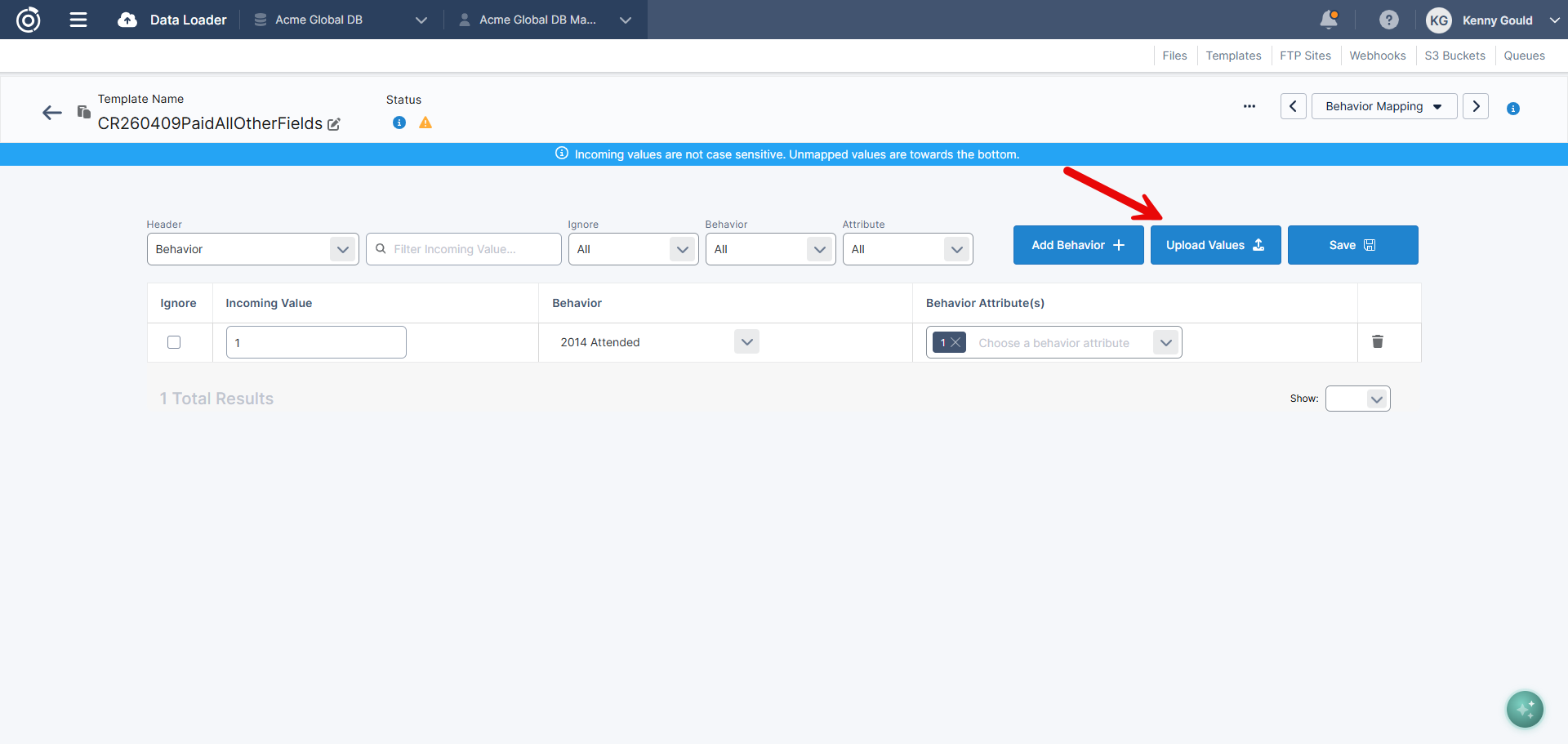
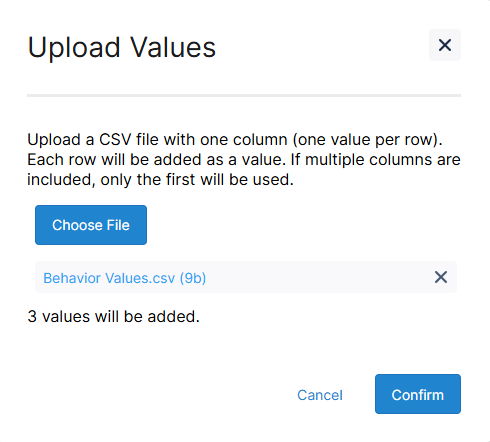
Table of Contents
Questions?
Omeda customers should reach out to their Client Success Manager or search the Knowledge Base for assistance. Comprehensive platform training can also be found on the Omeda Academy.
If you’re new to Omeda, please reach out to sales@omeda.com for assistance.