
Release Highlights
Audience Builder
Tag-Based Audience Segmentation & Engagement in Audience Builder
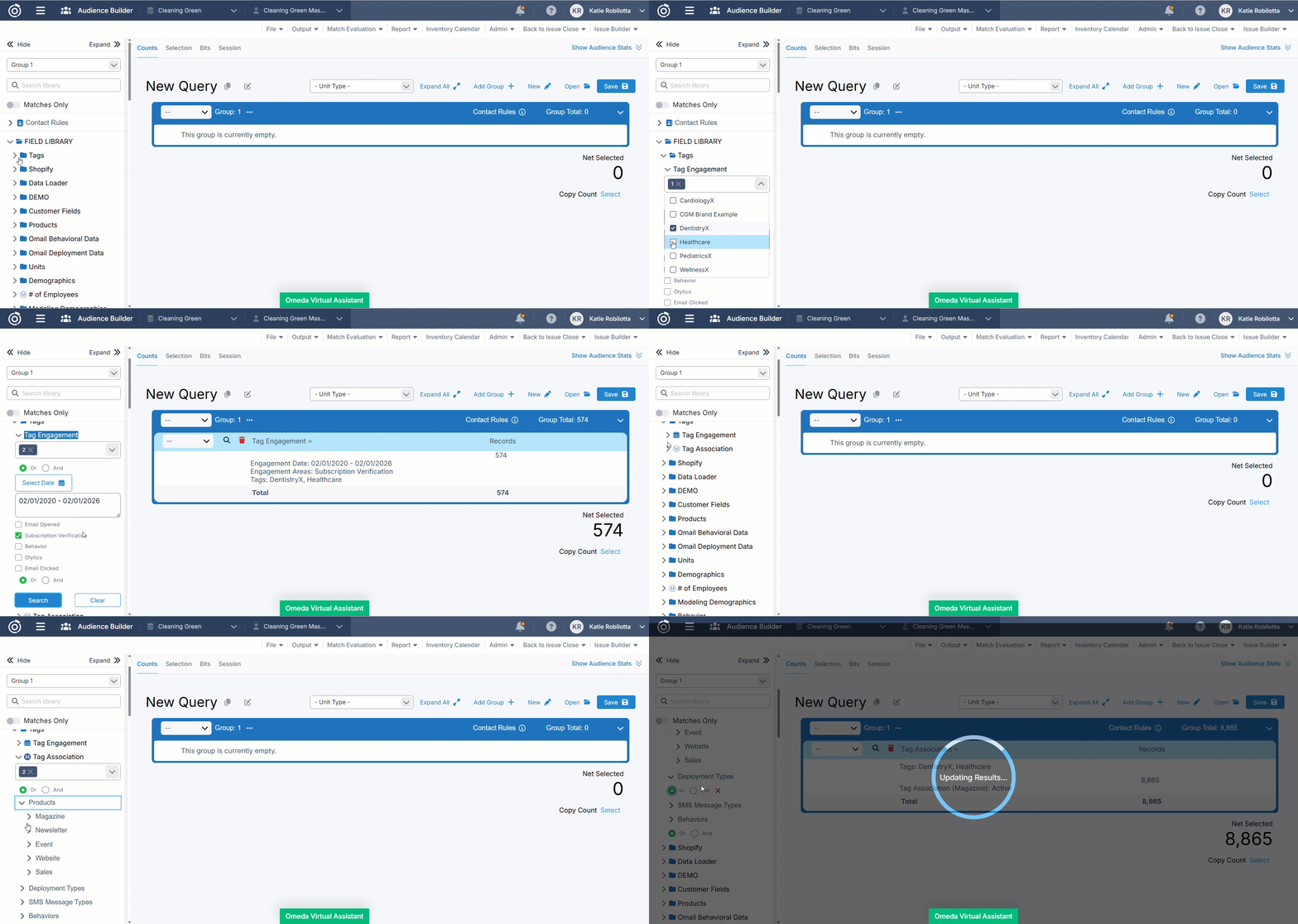
Audience Builder now includes two new tag-powered fields that give you more flexibility to define audiences based on the tags customers are associated with or how they’ve recently engaged.
These enhancements extend the tagging framework into Audience Builder, enabling more precise, data-driven audience creation tied to brands, markets, and more!
Tag Associations
Use the Tag Associations field to build audiences based on whether customers are associated to one or more selected tags.
This field is ideal for segmenting audiences using tag associations derived from subscriptions, opt-ins, demographics, and behaviors.
It helps answer the question: Which customers are associated with this tag?
With Tag Associations, you can:
-
Include customers using AND / OR logic across multiple tags.
-
Apply tag filtering across subscriptions, opt-ins, behaviors, and related assets.
Tag Engagement
Use Tag Engagement to build audiences based on recent customer engagement tied to selected tags.
This field is designed for time-based targeting, allowing you to identify customers who have recently interacted with tagged assets within a specific date or date range.
It helps answer the question: Who has engaged with this tag recently?
With Tag Engagement, you can:
-
Filter customers by engagement activity (e.g., email engagement, behaviors, subscription verification).
-
Limit results to a specific date or date range.
Overall, these fields make it easier to create precise, data-driven audiences - whether you’re targeting customers based on the brands or markets they’re associated with, or how they’ve recently engaged with them.
Other Updates
Database Settings
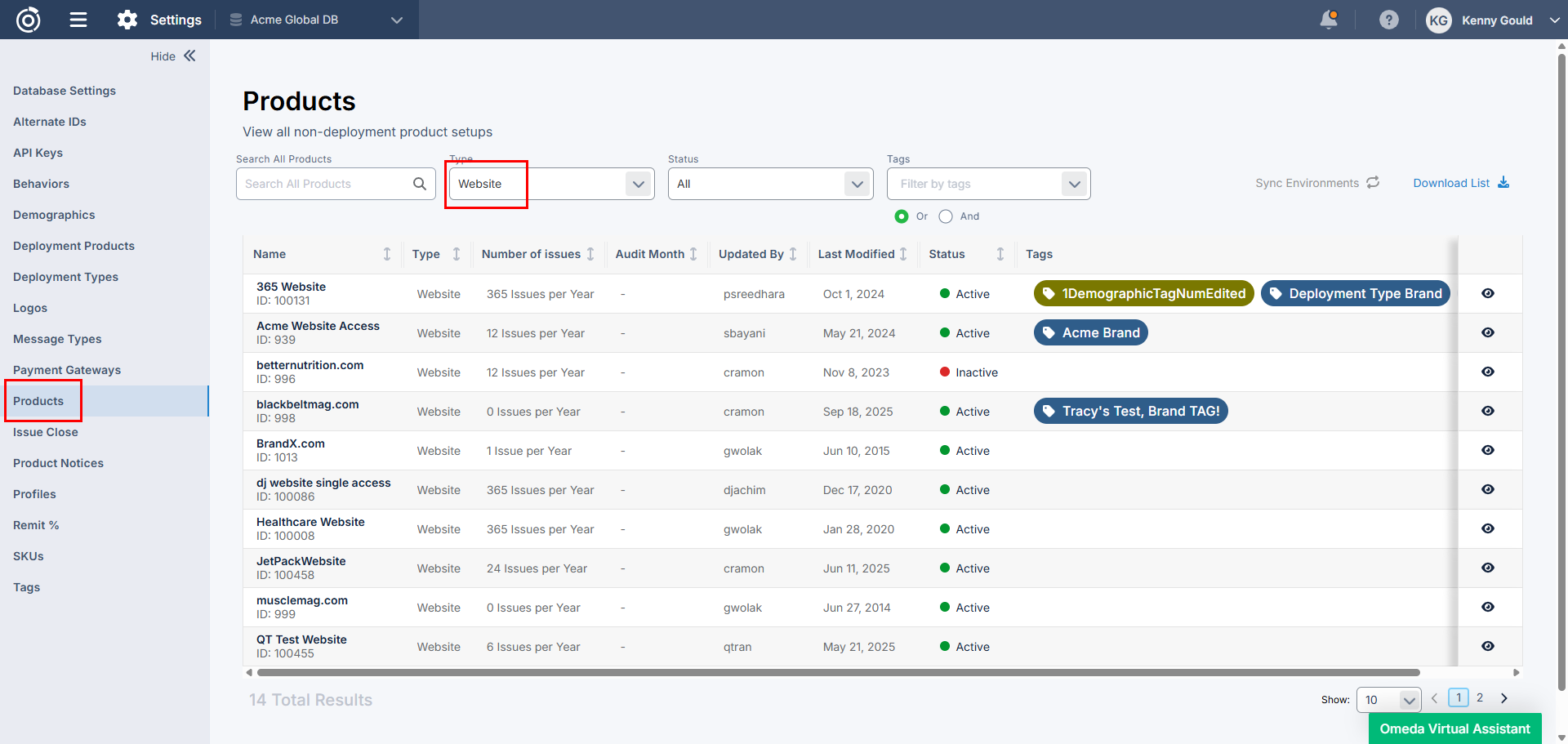
View Website Product Information in Database Settings
n Database Settings, users with appropriate permissions can view the product configurations for Website products within the Product section of Manage Database. This enhancement surfaces key setup details such as Payment Details and Merge settings. This update improves visibility and supports better management of Website product data across teams.
SMS
International Business Registration Support for SMS
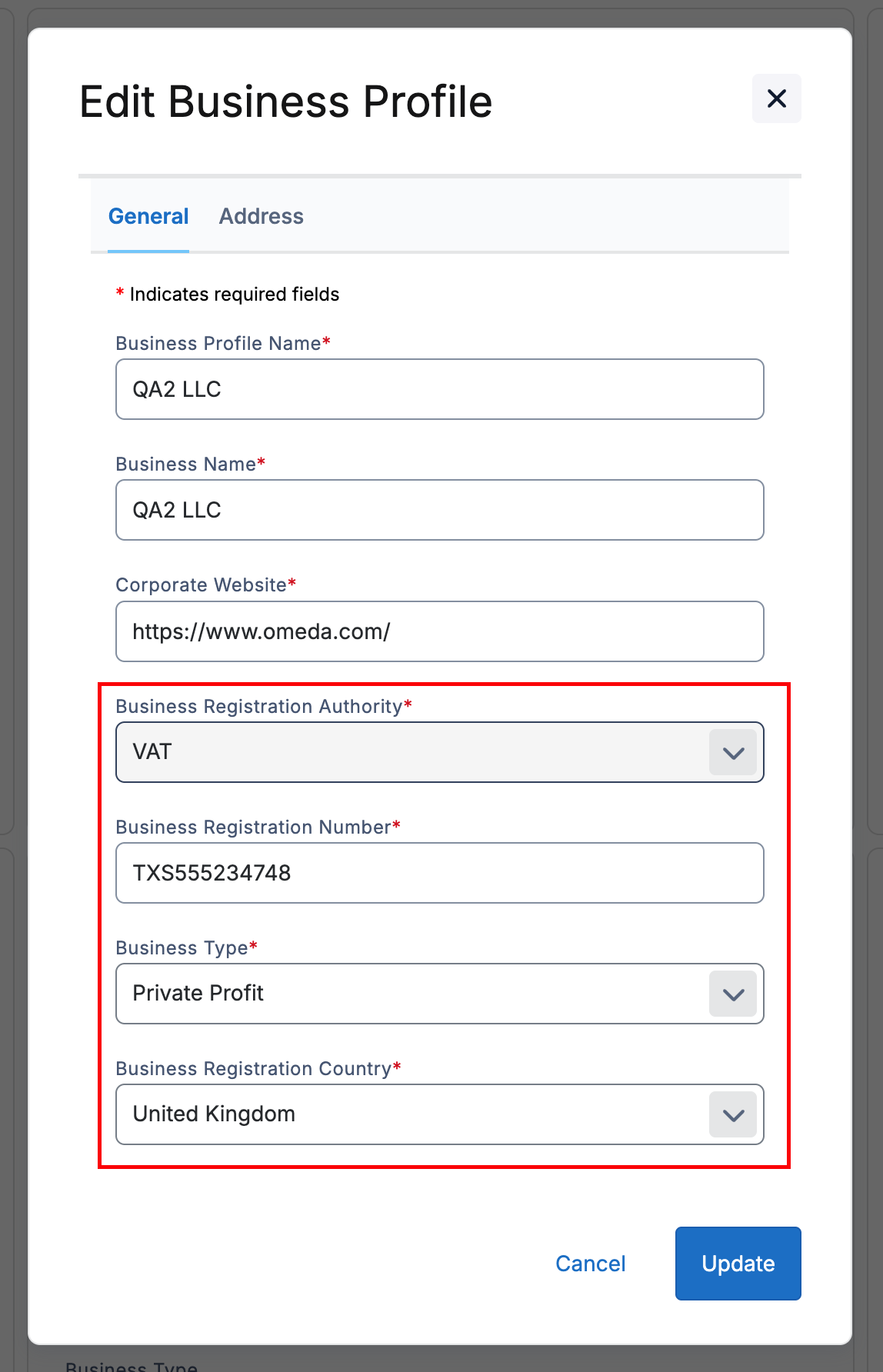
For international businesses sending Toll-Free SMS in the US, we’ve added international Business Registration Number support to Message Types. This will ensure your Message Types remain compliant for verification when requesting new numbers.
Subscriptions
Daily Stripe Charges Report
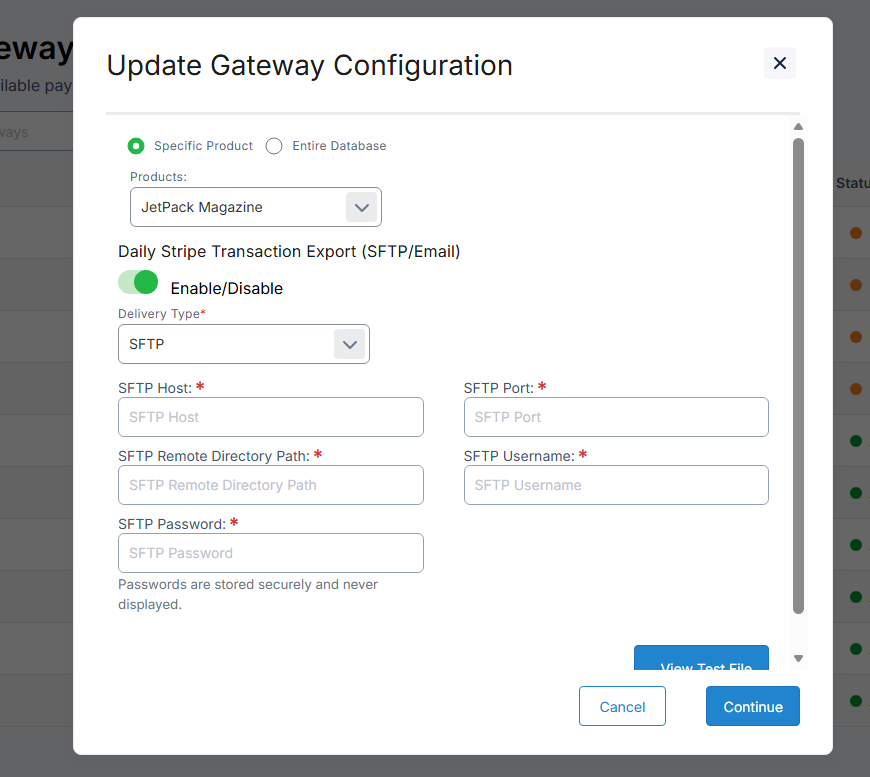
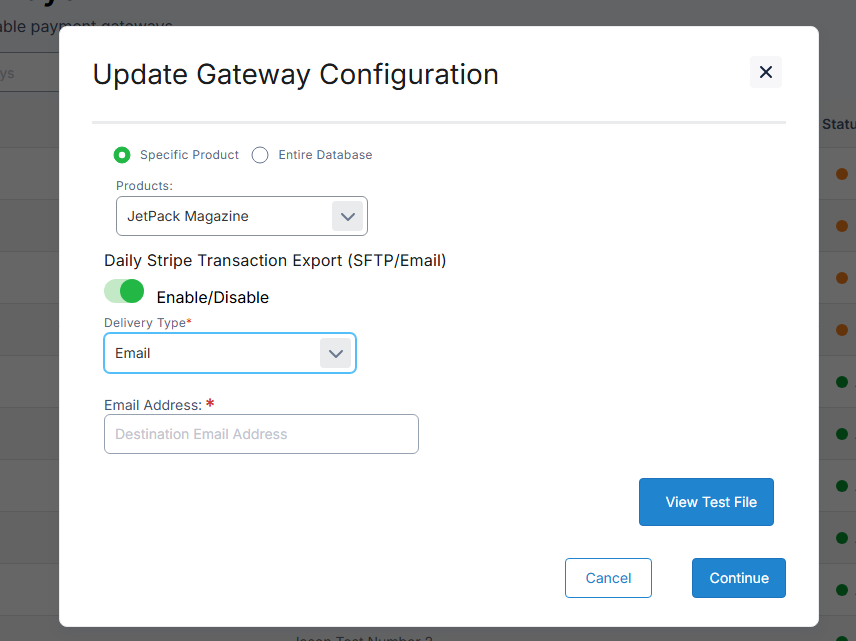
For our Omeda Stripe Connect customers, we have added a new daily charges report that they can configure in-app to have emailed directly to users or sent to an SFTP location. This is a daily report of payments through their Stripe account over the last 24 hours, meant to give organizations a more granular view into their payments.
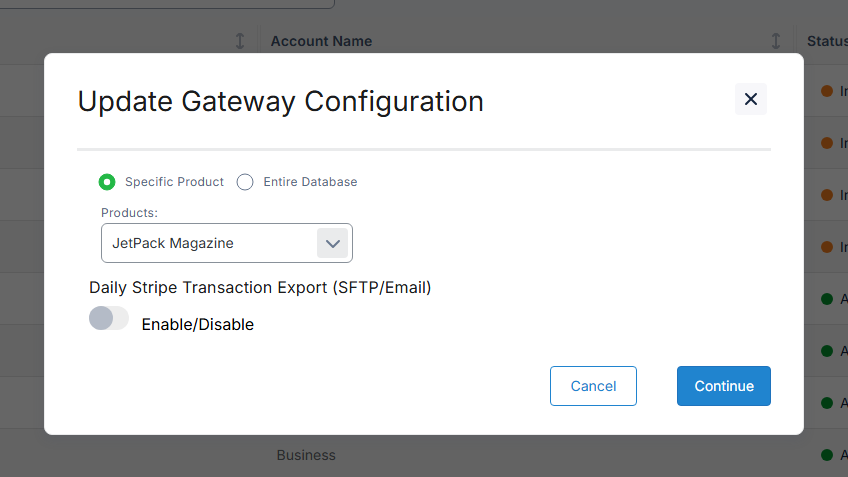
This report breaks out all of the key metrics a customer would expect from the default Stripe Standard Account transactions report (transaction data, refunds, fees, etc..) along with additional fraud and dispute analytics (radar scoring, card responses for each payment, detail on fraud scoring, dispute reasons..) to give customers a fuller picture of their payments data.
Audience Search
Improved Processing for Email Opt-In/Out Updates in Audience Search
Previously, users had to remain on a record while email opt-in/opt-out updates finished processing, which could take longer for actions like a global opt-out. With this update, changes now process in the background, and the UI displays a “loading, please wait” message while the job runs. Once the job completes, the opt-in/out section refreshes to show the full, updated opt-in/out information for the record.
Table of Contents
Questions?
Omeda customers should reach out to their Client Success Manager or search the Knowledge Base for assistance. Comprehensive platform training can also be found on the Omeda Academy.
If you’re new to Omeda, please reach out to sales@omeda.com for assistance.