
Agentic Audience Builder
Introduction
Agentic Audience Builder is an AI-powered audience creation experience that helps users build audience segments using natural language instead of manually configuring complex filters and rules.
Rather than navigating through multiple audience criteria fields individually, users can describe the audience they want in plain language, and the system translates that request into audience logic automatically.
The goal of Agentic Audience Builder is to simplify audience creation, reduce the learning curve for advanced segmentation, and accelerate workflow efficiency for both technical and non-technical users.
Benefits
Faster Audience Creation
Users can create sophisticated audiences in seconds using conversational prompts instead of manually configuring multiple filters.
Reduced Complexity
Natural language input minimizes the need to understand every available field, operator, and segmentation rule upfront.
Improved Accessibility
Less experienced users can build advanced audiences without deep platform expertise, making segmentation more approachable across teams.
Increased Productivity
Marketing, analytics, and audience teams can iterate more quickly and spend less time navigating complex audience builder workflows.
Better Discovery of Audience Logic
Users can express business intent naturally, helping uncover segmentation opportunities that may otherwise be difficult to configure manually.
Features
Natural Language Audience Creation
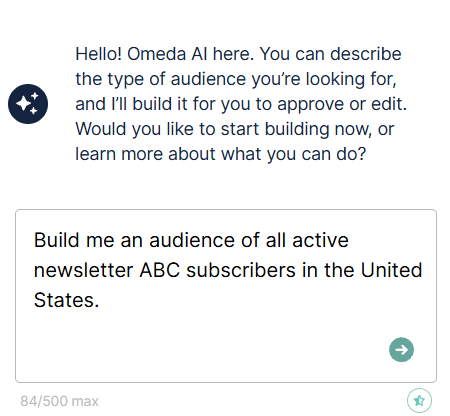
Users can describe the audience they want using everyday language.
Examples:
“Create an audience of subscribers in Illinois who subscribed in the last 90 days.”
“Build an audience of active newsletter subscribers in the Finance brand.”
“Show users with a paid subscription who registered within the last 30 days.”
The system interprets the request and maps it to available audience criteria automatically.
Conversational Data Exploration
In addition to building audiences, users can ask informational questions about their audience data, subscriber classifications, and available audience structures using natural language.
Examples include:
-
“How many active subscribers do I have?”
-
“What classes are available for Magazine X”
-
“What’s the difference between Active Qualified vs Active Non-Qualified?”
This helps users better understand their available audience data while remaining within the same conversational experience.
AI-Powered Query Translation
Agentic Audience Builder converts natural language into structured audience rules and filters that align with supported audience fields.
Guided Audience Refinement
Users can iteratively adjust or refine audiences by modifying prompts instead of rebuilding filters manually.
Example refinements:
-
“Only include active subscribers”
-
“Exclude users with expired subscriptions”
-
“Limit results to users in the Midwest region”
Audience Preview and Validation
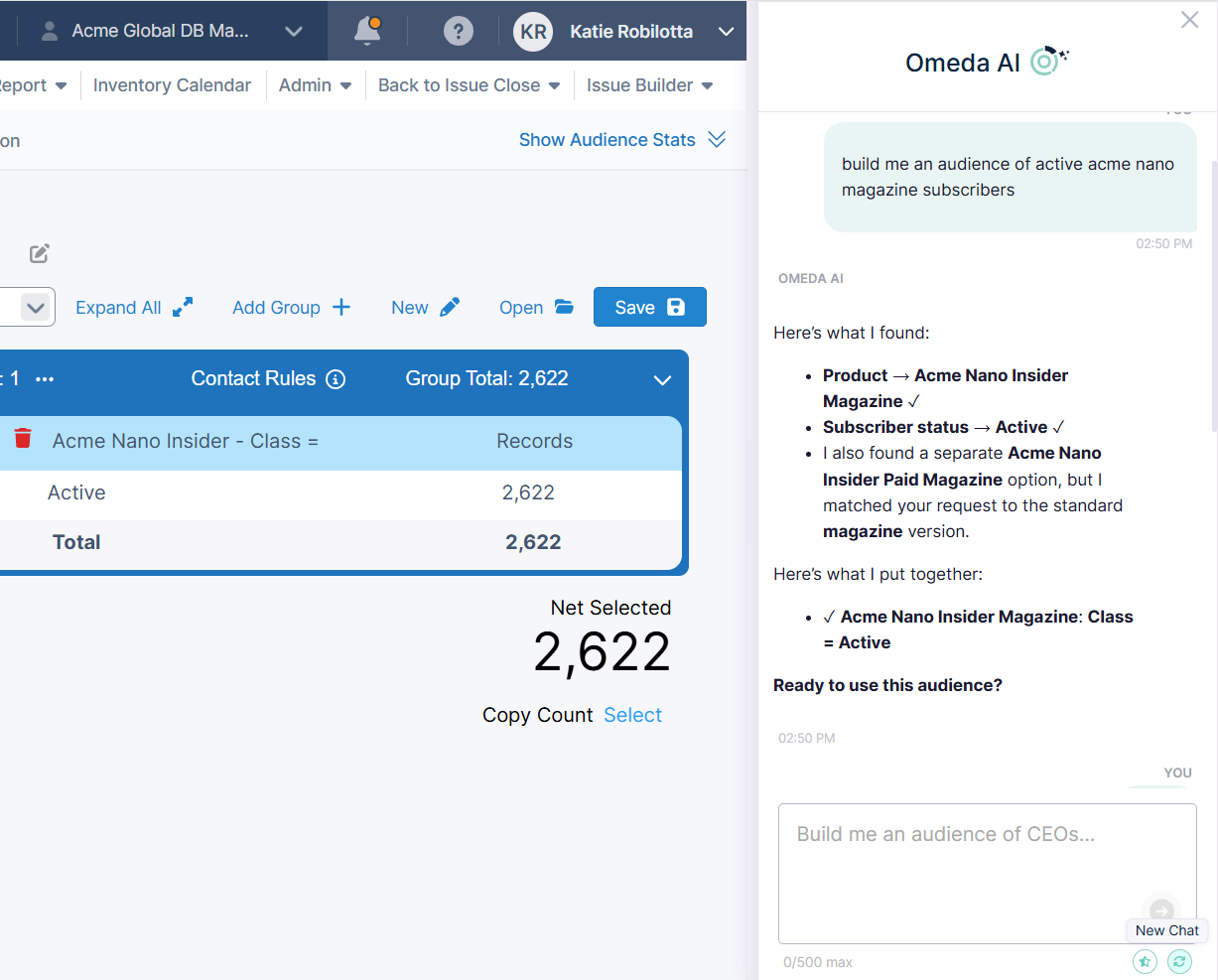
Before saving, users can review the generated audience logic and validate the resulting criteria.
This helps ensure:
-
The generated audience aligns with intent
-
Filters were interpreted correctly
-
Unsupported logic can be identified before execution
Seamless Integration with Existing Audience Logic
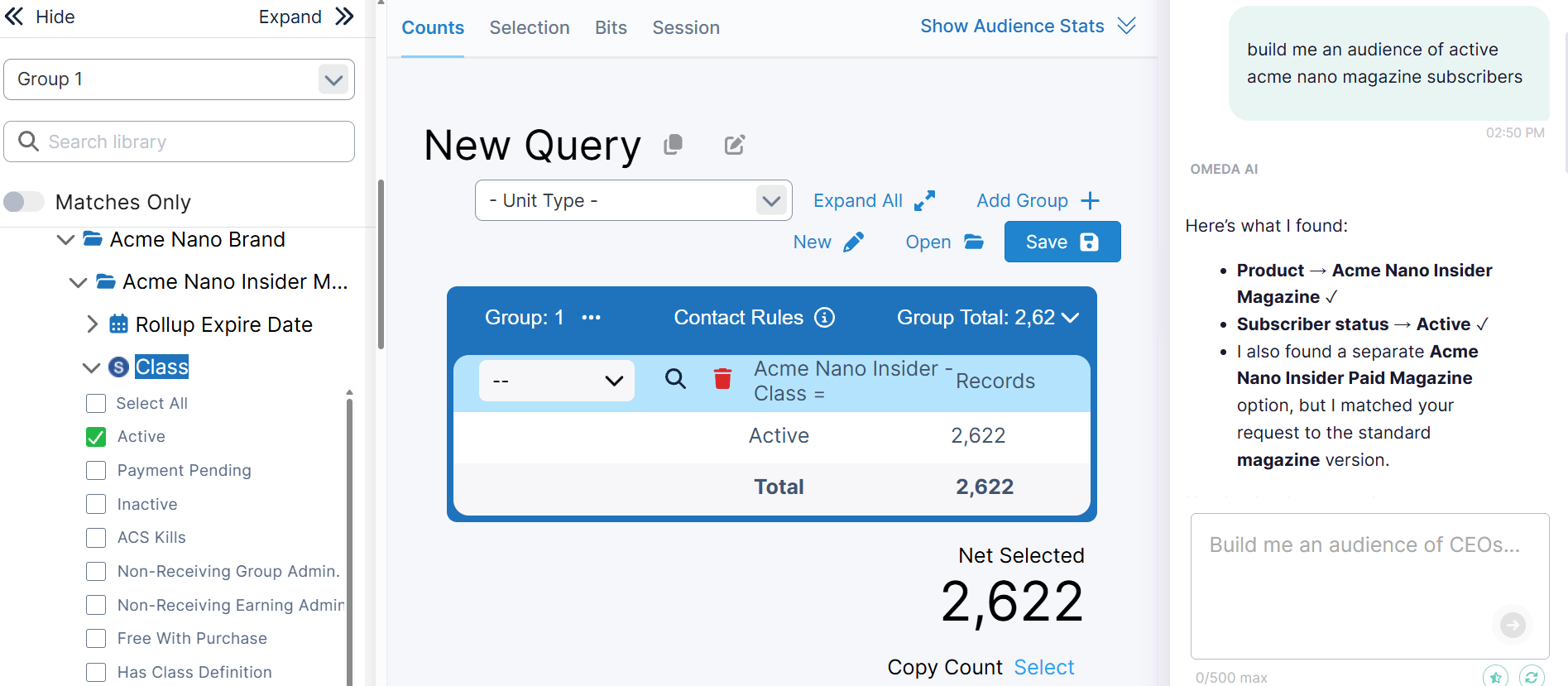
Generated audiences can still be reviewed and modified manually within the standard audience builder experience.
This provides flexibility for users who want AI-assisted setup while maintaining full control over final audience definitions.
Built-In Feedback Collection
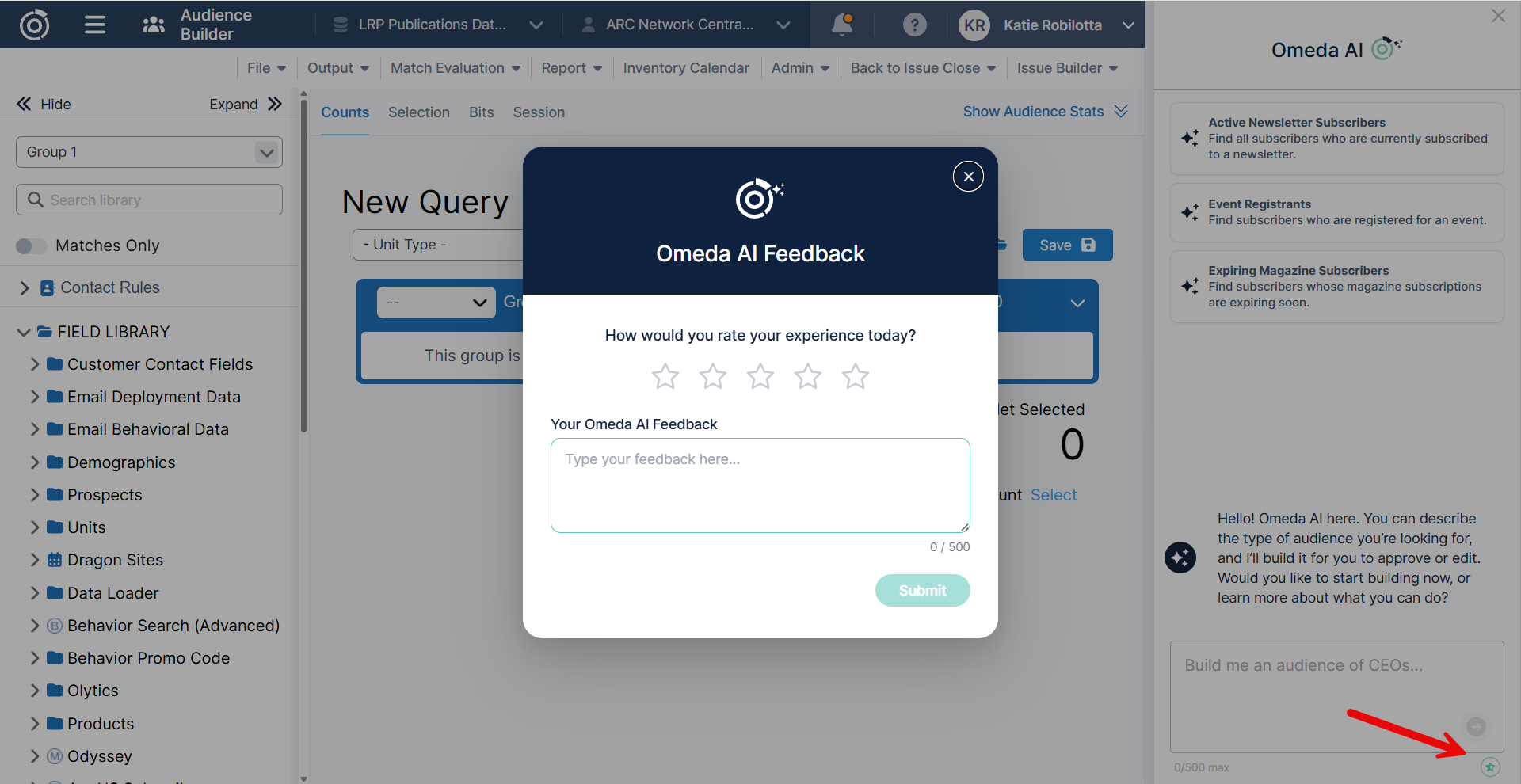
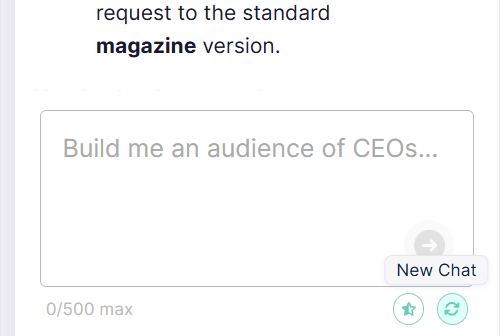
Users can provide feedback about their experience directly within Agentic Audience Builder by selecting the Give Feedback button.
Feedback submissions help improve:
-
Prompt interpretation
-
Audience generation quality
-
Overall usability and experience
Start a New Conversation
Users can reset the experience and begin a new audience-building conversation at any time by selecting the New Chat button.
This is helpful when:
-
Starting a completely different audience request
-
Clearing previous context
-
Restarting after refining multiple prompts
How-To
Step 1: Open Agentic Audience Builder
Navigate to the Audience Builder experience and select the Agentic Audience Builder option.
Step 2: Describe Your Audience
Enter a natural language description of the audience you want to create.
Examples:
-
“Users who subscribed in the last 90 days”
-
“Active subscribers located in California”
-
“Paid subscribers associated with the Sports brand”
Be as specific as possible for best results.
Step 3: Review Generated Criteria
The system will translate your prompt into audience rules and filters.
Review:
-
Included fields
-
Operators and conditions
-
Date ranges
-
Exclusions or refinements
Step 4: Adjust if Needed
If the generated audience does not fully match your intent:
-
Refine the prompt
-
Add more context
-
Simplify overly complex requests
-
Manually edit filters after generation
Step 5: Save and Use the Audience
Once validated, save the audience for use in campaigns, analytics, or downstream workflows.
Considerations
Some Compound Fields Are Not Currently Supported
Agentic Audience Builder currently does not support some compound fields.
Examples of unsupported compound fields include:
-
Paid Subscription
-
Odyssey
-
Other nested or multi-condition behavioral criteria
What Are Compound Fields?
Compound fields are audience criteria that contain:
-
Multiple nested conditions
-
Advanced logic
-
Multi-step relationships
These fields are more complex for AI interpretation because they rely on layered logic structures rather than simple field/operator/value combinations.
The compound fields that are supported today include:
-
Clicks
-
Opens
-
Recipients
-
Product Membership
-
Personalization Clicks
-
Personalization Impressions
-
Product Telemarketing
-
Behavior Search (Advanced)
-
Olytics
-
Lead Scoring
-
Data Science
Saved Queries Cannot be Refined by the Agent
At this time, saved audience queries cannot be opened and further modified within Agentic Audience Builder.
The Agent Does Not Automatically Train
Agentic Audience Builder does not automatically learn or train itself based on user interactions over time.
This means:
-
Previous prompts do not permanently improve future generations
-
The system does not retain organizational audience-building preferences automatically
-
Feedback submissions are reviewed separately and are not used as automatic live training data
Users should continue to provide clear, specific prompts for best results.
Recommended Best Practices
Use Clear, Direct Language
Shorter and more explicit prompts typically generate more accurate results.
Good example:
“Subscribers in Texas with an active paid subscription”
Less effective example:
“Highly engaged users who might be interested”
Review Generated Logic Before Saving
Always validate the translated audience criteria to ensure:
-
Business intent was captured correctly
-
Date ranges are accurate
-
Included/excluded users align with expectations
Future Enhancements
Support for additional advanced audience constructs, including compound fields and more sophisticated behavioral logic, may be introduced in future releases.
Table of Contents