
Release Highlights
Subscriptions
Stripe Connect Dispute Notification Automation
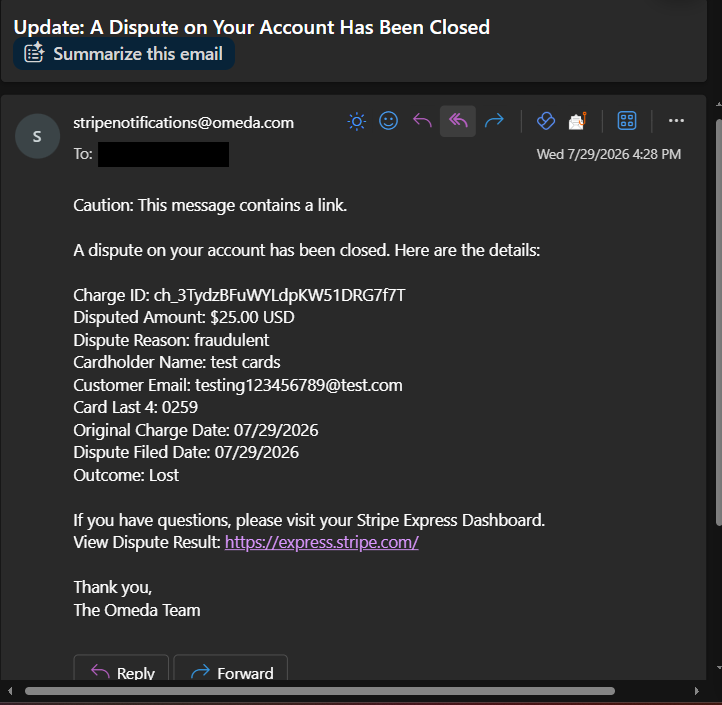
We've built custom dispute alert functionality to ensure users never miss important dispute updates using a direct email notification system that keeps them informed about all dispute activity on their account the moment a dispute comes in.
Users will be able to configure their preferred email addresses in the payment gateway settings to receive comprehensive dispute notifications. They get alerts for new disputes, status updates, and final resolutions, plus proactive reminders about upcoming response deadlines. Each email includes essential dispute details like amount, reason, deadline information, various IDs, and directions/links to manage the dispute within their Stripe Dashboard or the Omeda platform.
Stripe Express Connect Balance Summary Reports
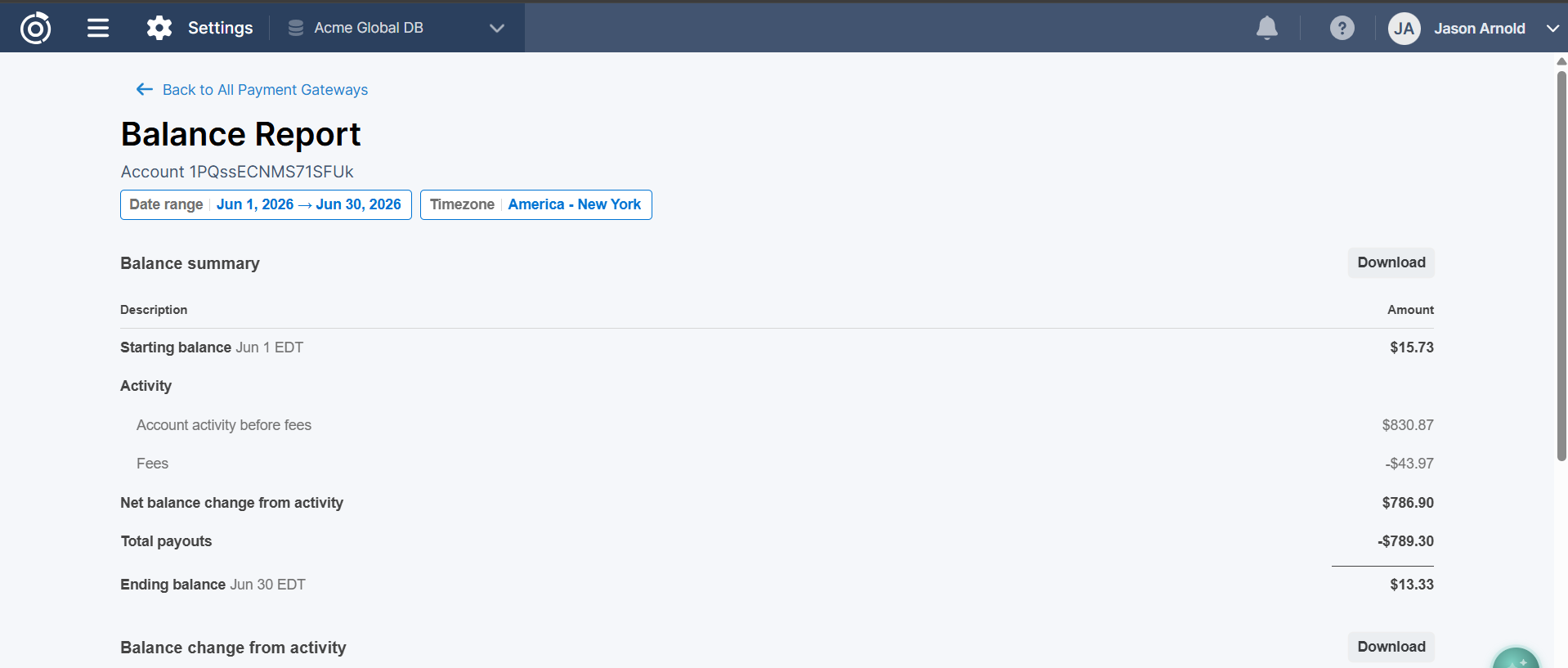
We've integrated Stripe's balance report component, giving users complete visibility into their Stripe balance history within the Omeda environment.
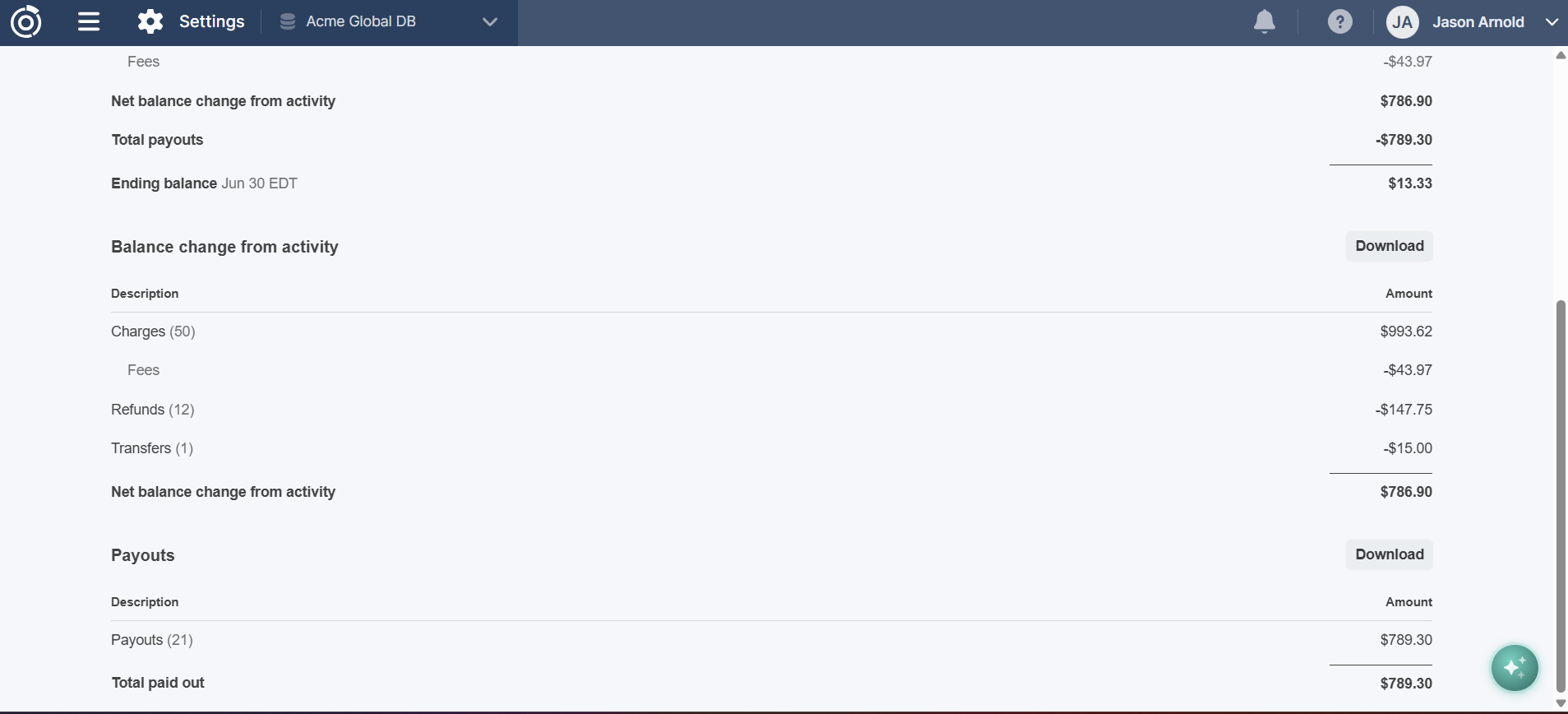
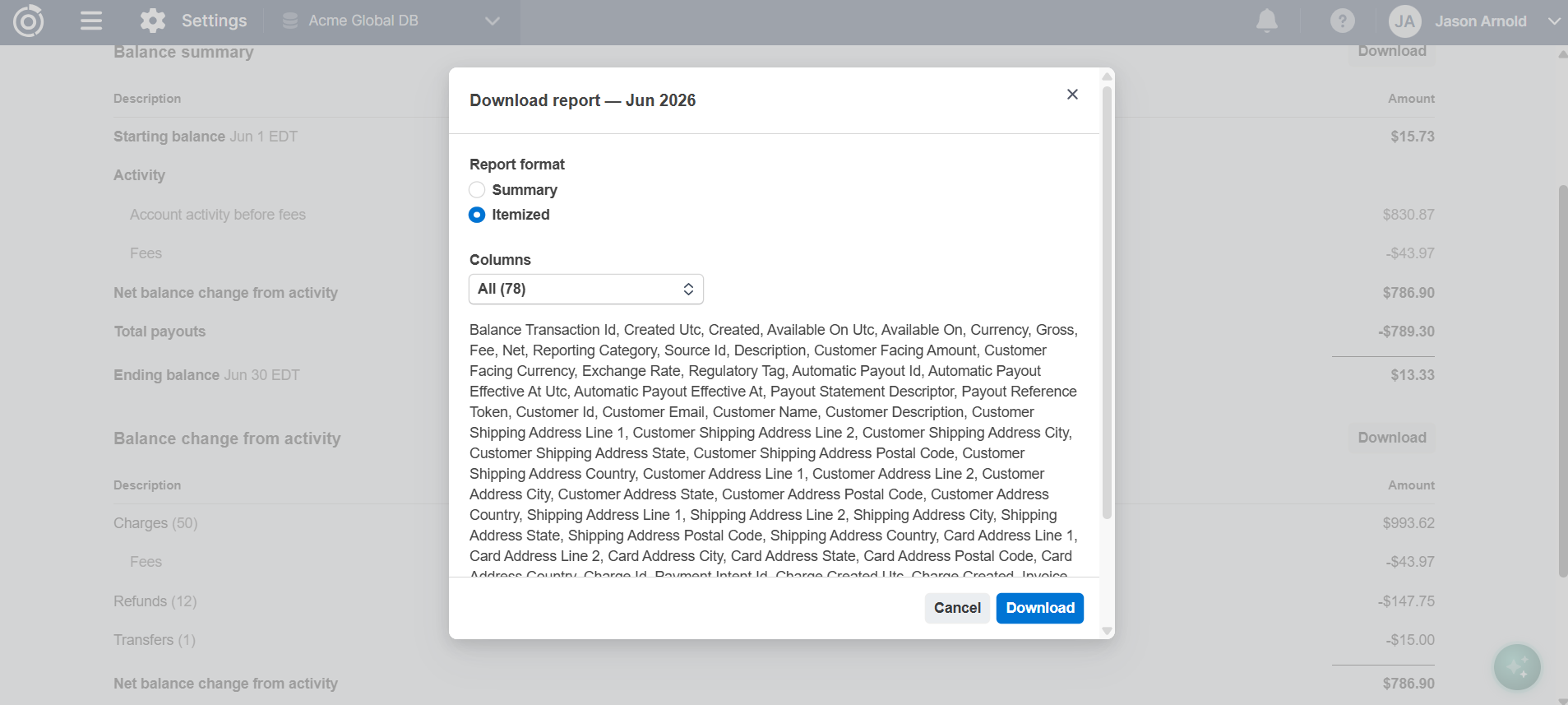
They will be able to view the complete balance summary showing starting balance, total activity, payouts, and ending balance for any date range. Get detailed transaction breakdowns with categorization of all charges, refunds, transfers, and fees including gross, fee, and net amounts. And they can track all payouts sent to their bank account and export both summarized and itemized CSV reports for easy reconciliation of balance transactions.
Other Updates
Content Tagging
Content Tagging: Improved Tag Weighting for Web and Email
We’ve optimized how tag weights are calculated across web and email activity to better reflect each customer’s current level of engagement and affinity.
These updates refine how recent activity, inactive records, and email interactions are evaluated. We’ve also adjusted how customers are grouped into weight categories so results better align with each organization’s unique engagement patterns.
As a result, segment counts in Audience Builder may change as customers are redistributed across engagement buckets. These updates provide a more current representation of customer engagement.
Settings
Demographic Deletion in Manage Database
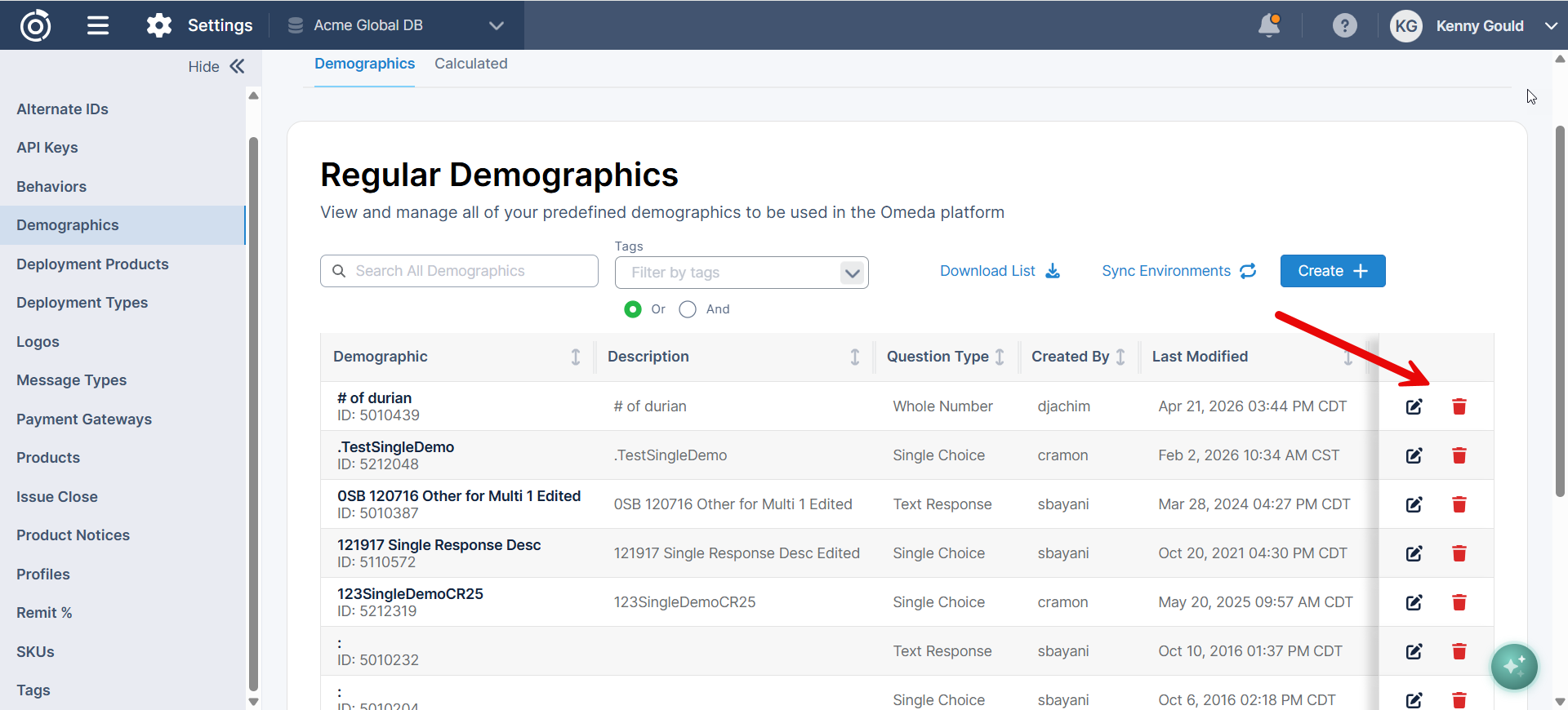
Users with the required permissions can now delete Regular Demographics directly from Manage Database using the trash can icon.
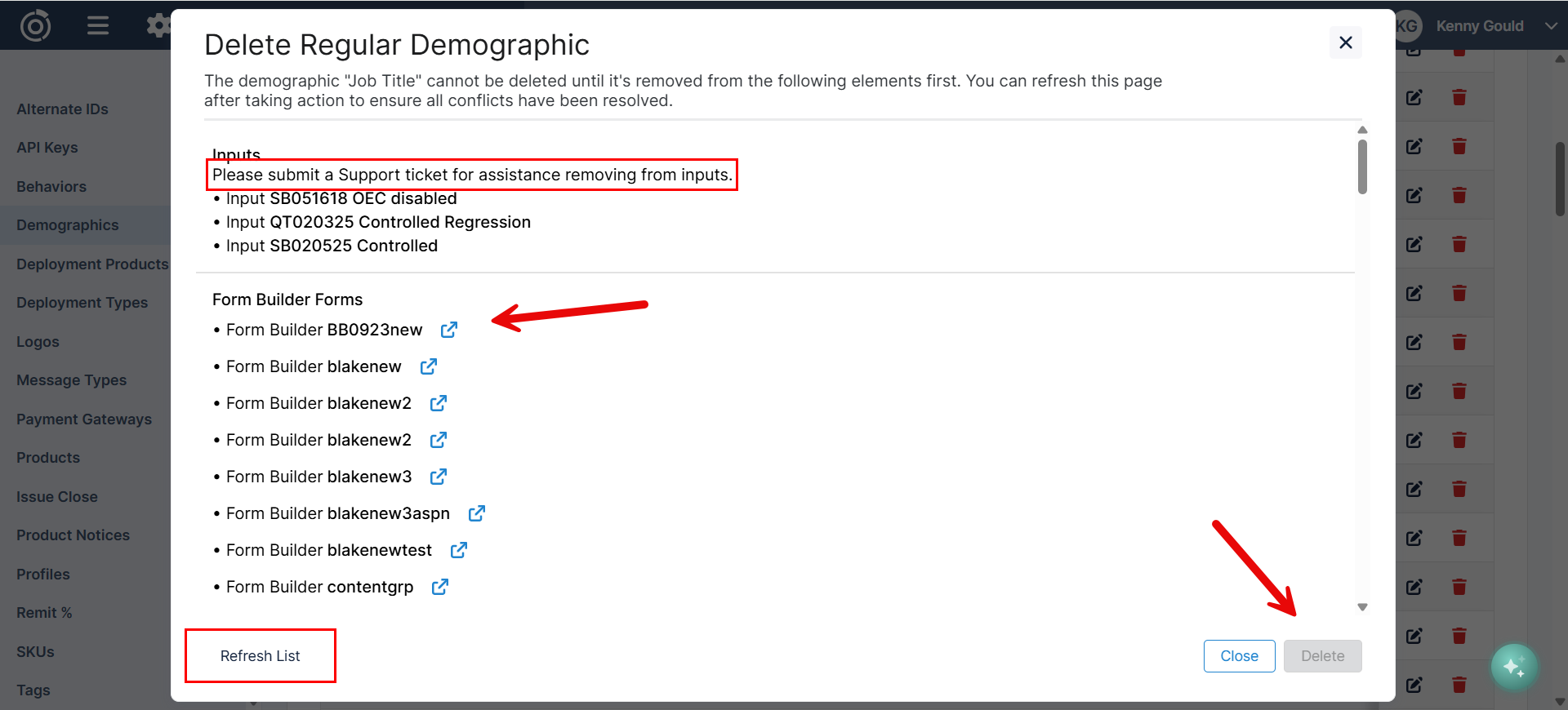
Before a demographic is deleted, the system checks whether it's currently being used in Data Loader Templates, Audience Builder field libraries, Inputs, or Form Builder. If the demographic is still in use, you'll see a list of conflicts that must be resolved before deletion can proceed.
For conflicts found in Data Loader Templates, Audience Builder field libraries, or Form Builder, you can open the affected tool in a new window directly from the conflict list to remove the dependency. If you don't have access to one of these tools, the link won't be available, and you'll need to submit an OPS ticket to Support for assistance.
This validation helps prevent accidental deletions that could impact other areas of your account while giving administrators a clear path to safely remove unused demographics.
Agentic Audience Builder
Email Behavioral Fields
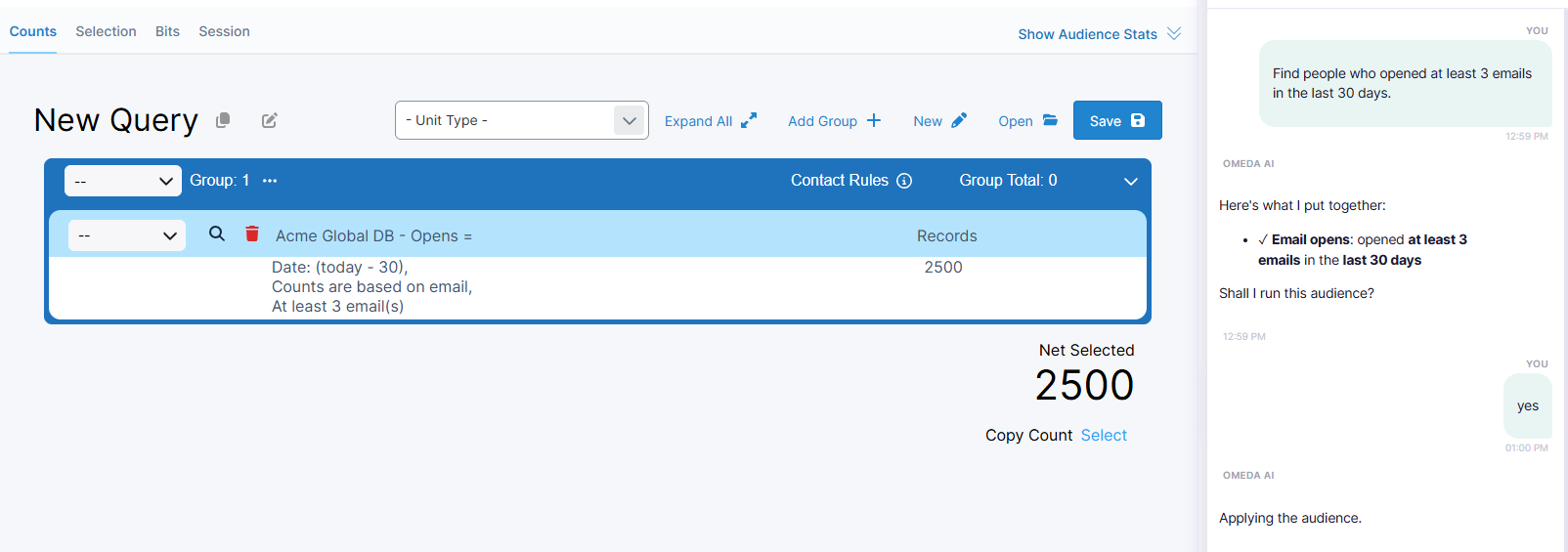
The Agentic Audience Builder can now build audiences using email behavioral data. In addition to existing audience criteria, you can now ask the agent to include customers based on their email engagement, including:
-
Email Opens
-
Email Clicks
-
Email Recipients
Simply describe the audience you're looking for in natural language, and the agent will automatically identify and apply the appropriate email behavioral criteria to your audience.
Examples:
-
"Find people who opened at least 3 emails in the last 30 days."
-
"Show customers who clicked at least 1 email from our webinar deployment."
-
"Build an audience of recipients who received our July newsletters."
This enhancement expands the types of audiences the agent can create, making it easier to build engagement-based segments without manually configuring email behavior filters.
Rename Audience Groups
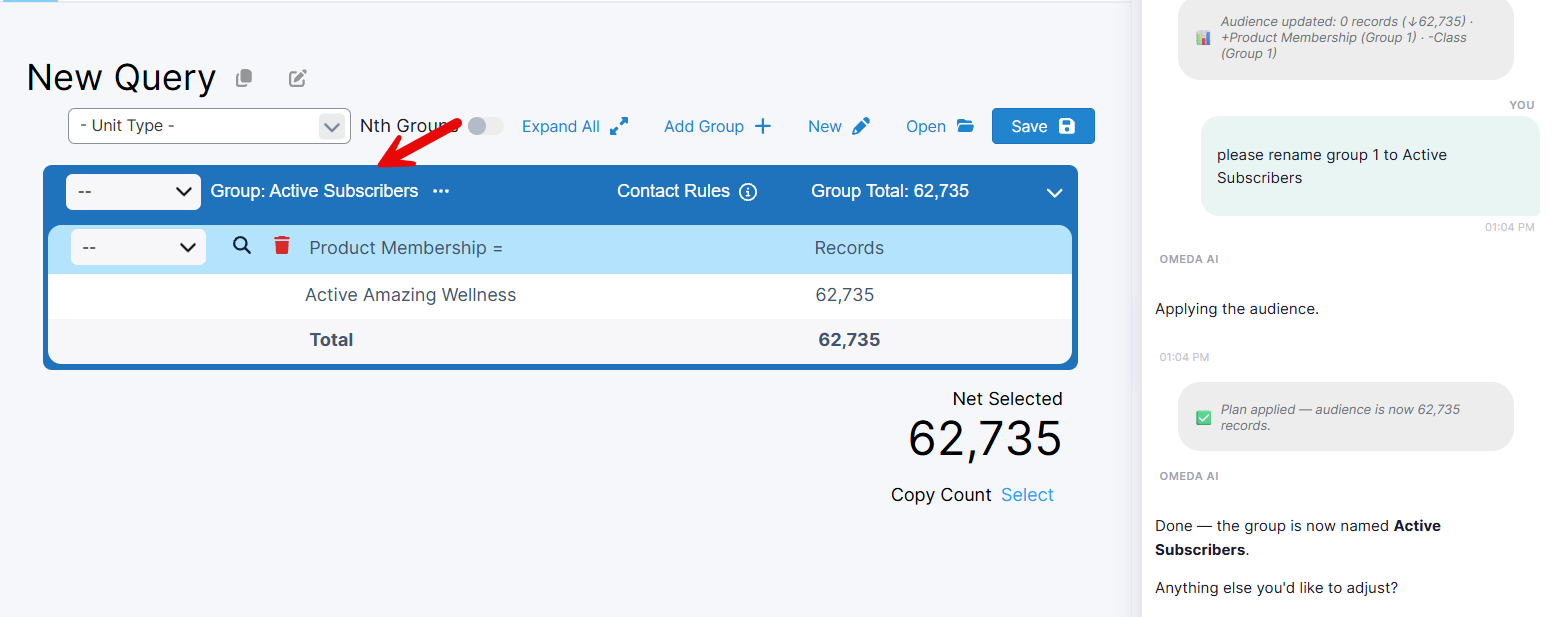
The Agentic Audience Builder can now rename audience groups through natural language. Instead of manually editing group names, simply ask the agent to update the name of a group, and it will apply the change automatically.
Examples:
-
"Rename this group to Active Subscribers."
-
"Change the first group name to Webinar Attendees."
-
"Rename Group 2 to Recent Email Engagement."
This enhancement makes it easier to organize and understand complex audiences by allowing group names to be updated conversationally.
Questions?
Omeda customers should reach out to their Client Success Manager or search the Knowledge Base for assistance. Comprehensive platform training can also be found on the Omeda Academy.
If you’re new to Omeda, please reach out to sales@omeda.com for assistance.