
Release Highlights
Journeys
Introducing Omeda Journeys
Say hello to Omeda Journeys (previously Odyssey) — rebuilt from the ground up to give audience and marketing teams the performance to build bigger, more ambitious flows than ever before. An improved experience keeps pace with your needs, so complex, always-on automations run as smoothly as simple ones.
The refreshed canvas brings a modern, intuitive experience that makes every connection clear. See how your elements link together, follow the path an audience takes, and shape the flow of an entire journey at a glance — no guesswork, or manually checking each element.
Work with confidence, too. Journeys autosaves your canvas state in real time as you go, with no save step to remember and nothing to lose if your browser blinks. And when you want to walk something back, version history lets you recover to any previous state in a click — so experimenting is safe and that configuration you loved is never gone for good.
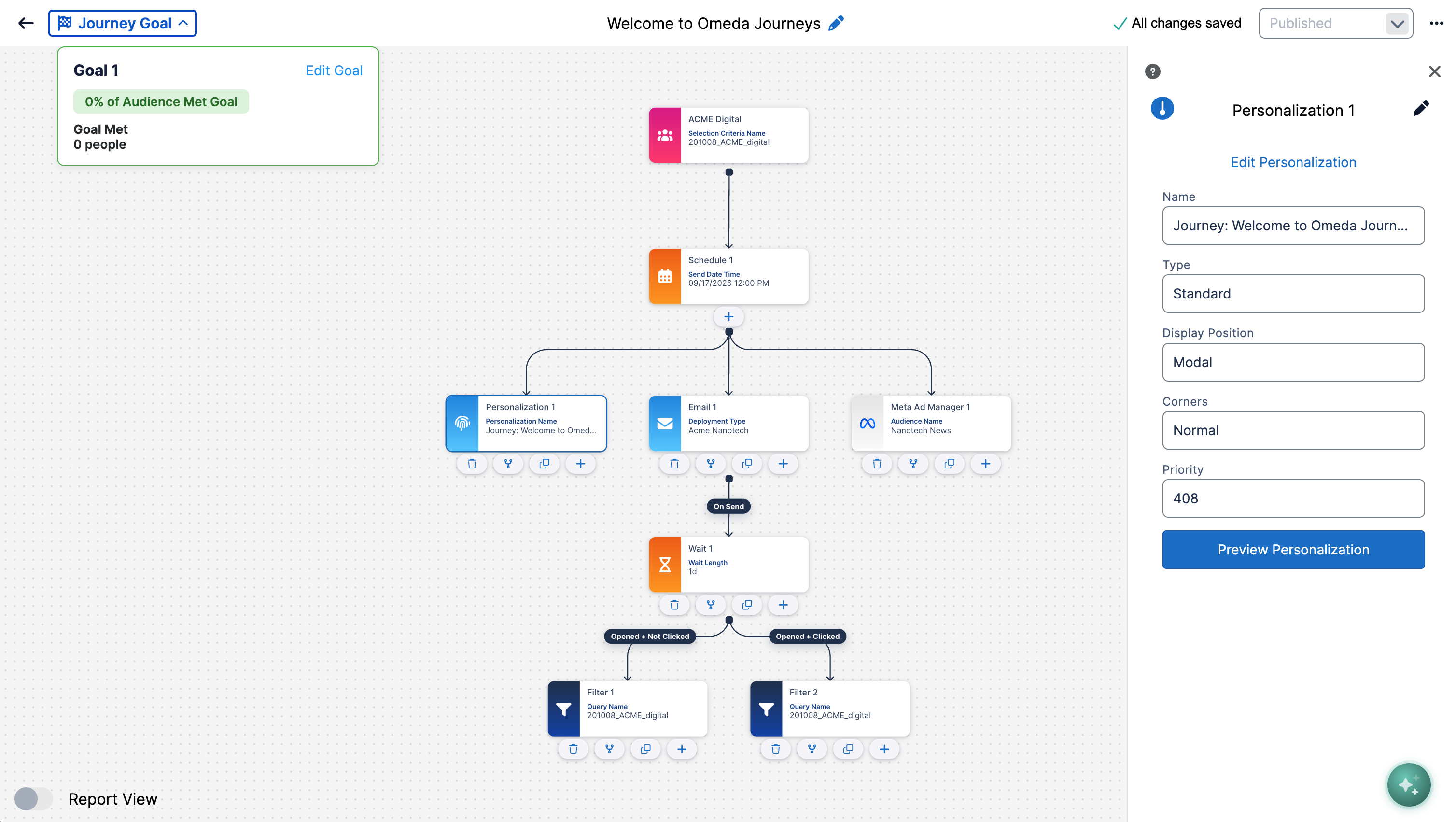
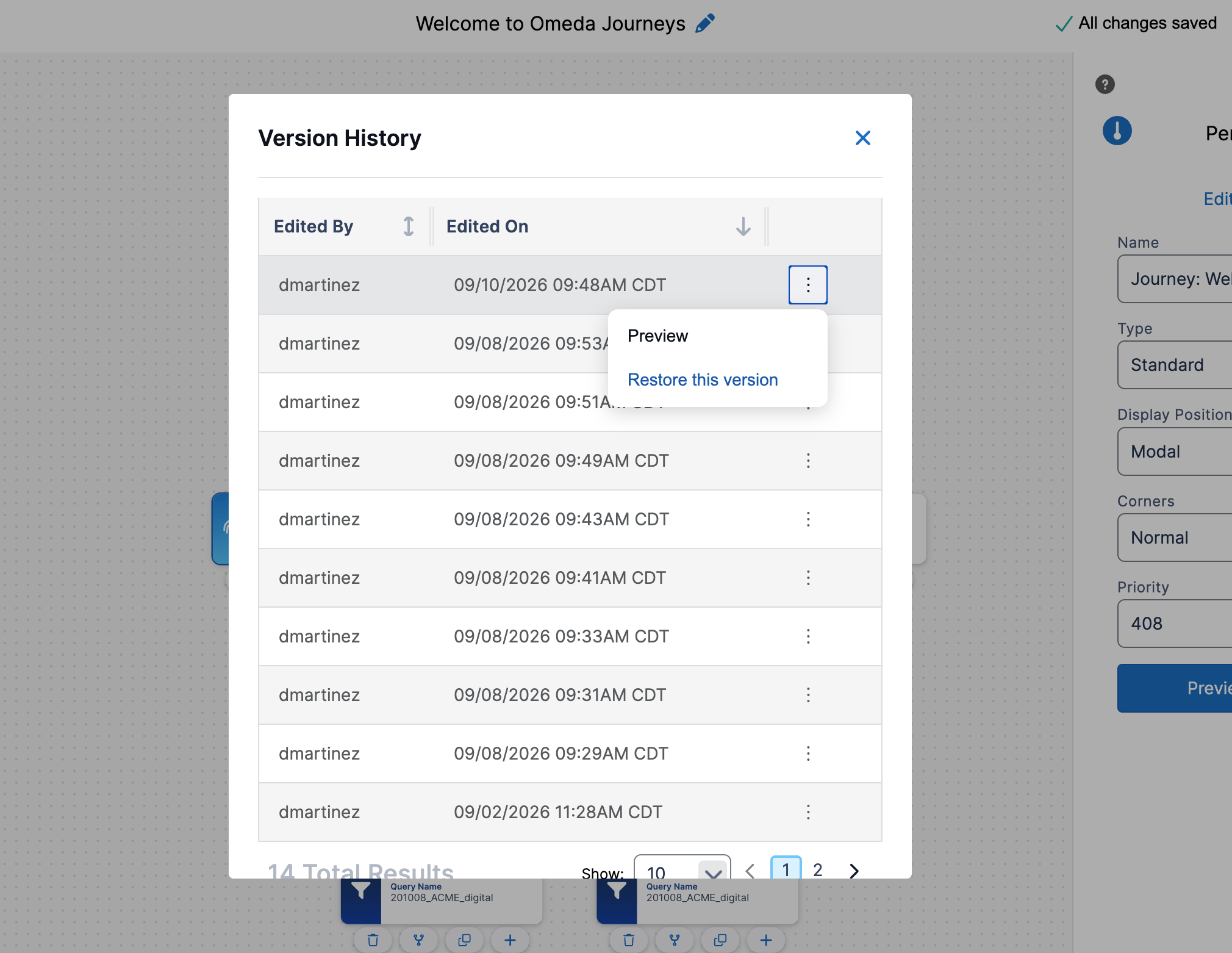
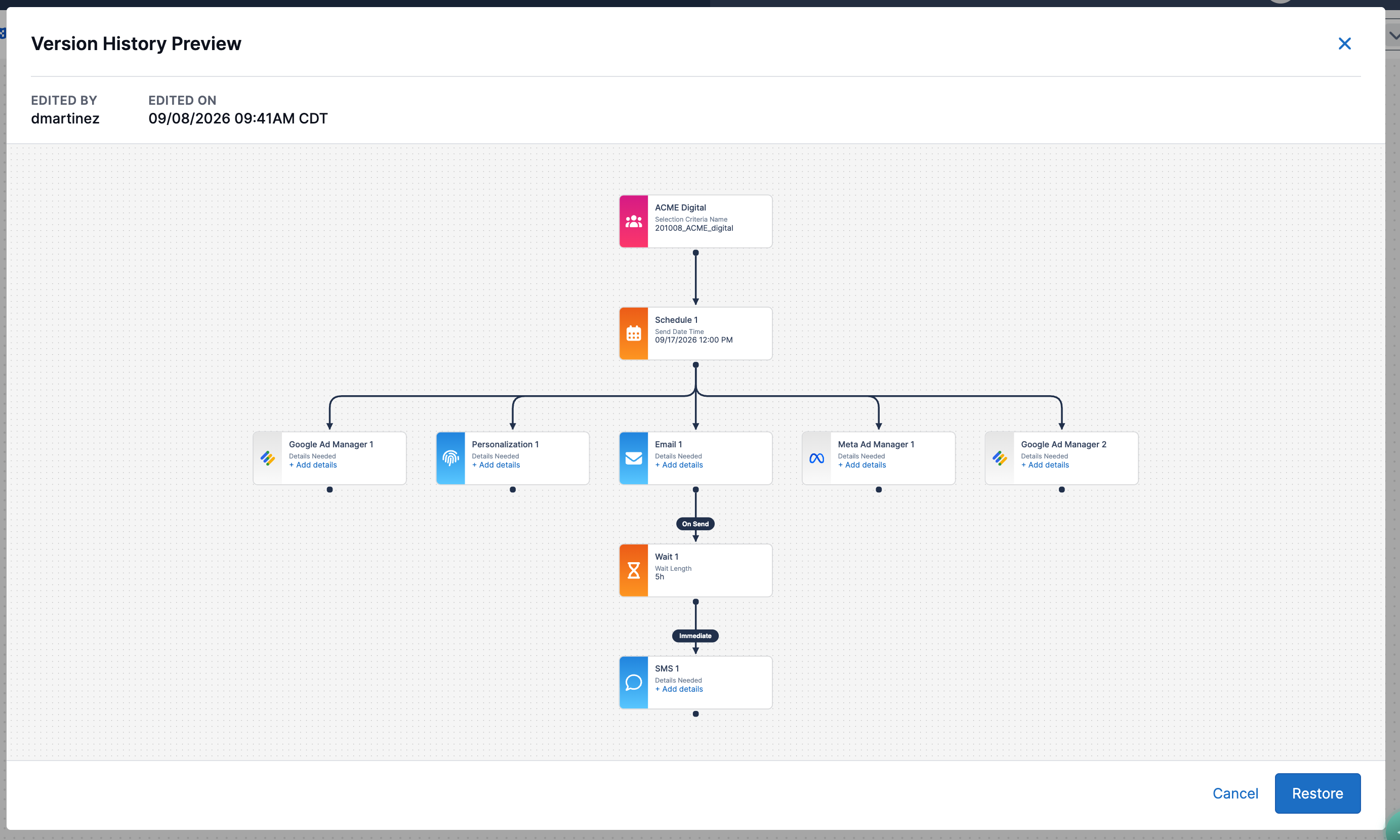
Read more in the overview here, with additional videos and updated in depth knowledge base documentation coming soon.
Other Updates
Audience Builder
Agent Support for Behavior Search (Advanced)
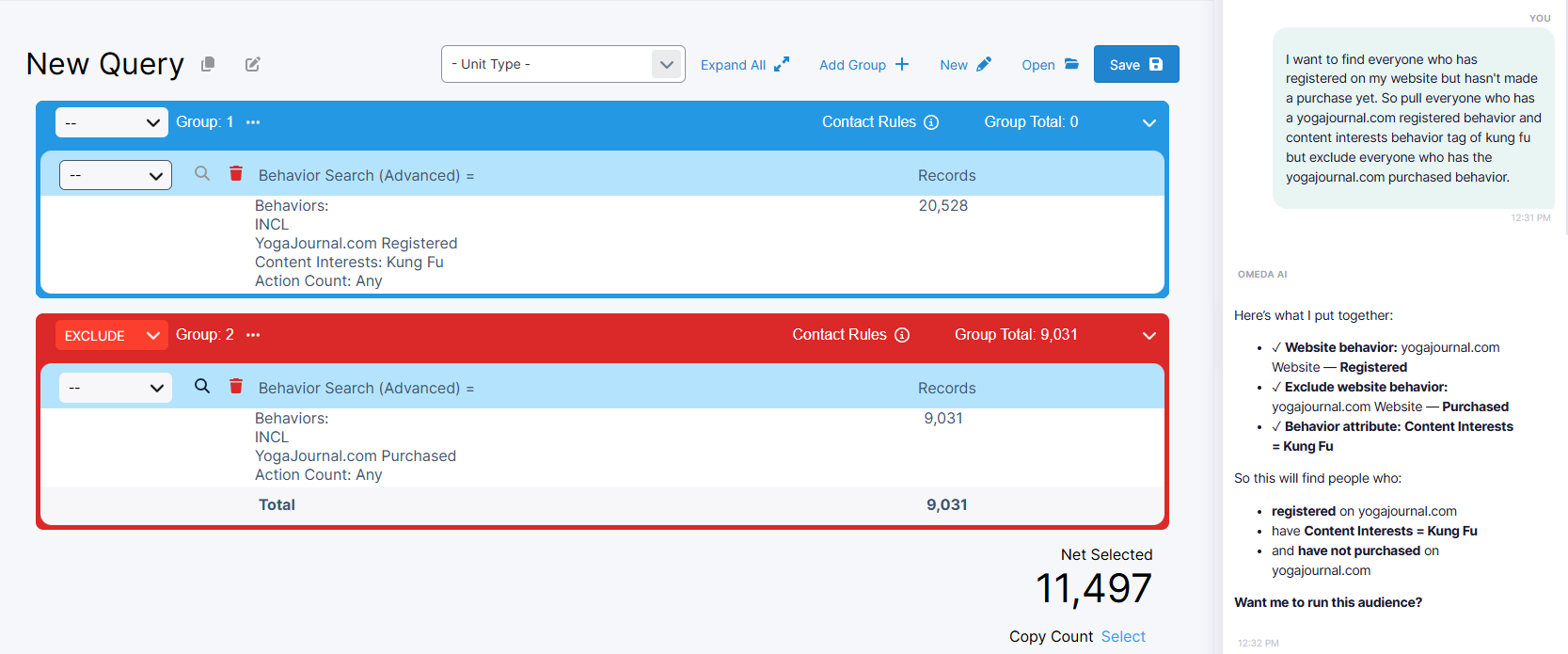
We've added support for the Behavior Search (Advanced) field in Agentic Audience Builder, making it easier to build audiences based on customer behaviors.
Users can now ask the agent to find customers based on activities such as event attendance, whitepaper downloads, webinar registrations, and more. The agent will interpret the request, identify the appropriate behaviors and tags, apply the requested date criteria, and build the selection directly in the canvas.
This makes it faster and easier to create behavior-based audiences without manually searching for and configuring individual criteria.
Processor
Process Email Validity Updates Through Inputs and Data Loader
Email validity updates can now be processed directly through Inputs and Data Loader. This expands email validity processing into standard data workflows and provides a more streamlined way to load and maintain email validity information in Omeda.
Email validity updates previously required files to be submitted to Omeda for processing. With this release, Vendor, Vendor Code, and Validation Date are available as mappings within the Email Validity section of Inputs and Data Loader. These fields are mapped alongside the email address, allowing email validity data to be processed as part of an Input or Data Loader job.
Supported email validity vendors include:
-
FreshAddress
-
InfoGroup
-
Synthio
-
SAE Validity
-
Zero Bounce
-
Tower Data
-
Data Axel
-
ALFRED
-
Webbula
Multiple supported vendors can be included within the same file, allowing their email validity updates to be processed through a single Input or Data Loader job.
Validation is built into both setup and processing to help prevent incomplete or unsupported validity data from being written. Email Validity fields must be mapped together with an email address, and only supported vendors and existing validity codes can be processed. At the record level, incomplete or invalid email validity data causes the affected record to be held rather than partially processed, while other valid records in the file continue processing.
This update enables reusable Inputs and Data Loader templates for email validity processing, making it easier to incorporate email validity updates into ongoing data workflows without requiring separate processing by Omeda.

Questions?
Omeda customers should reach out to their Client Success Manager or search the Knowledge Base for assistance. Comprehensive platform training can also be found on the Omeda Academy.
If you’re new to Omeda, please reach out to sales@omeda.com for assistance.