
Release Highlights
Audience Builder
Introducing Agentic Audience Builder! A faster and more intuitive way to create audiences using natural language prompts. Instead of manually configuring fields and logic, users can describe the audience they want to build, and the system will automatically generate the audience query.
This new workflow is designed to simplify audience creation, reduce setup time, and make it easier for users to explore and refine targeting strategies
What's New
-
Build audiences using plain-language prompts
-
Reduce manual field configuration and setup time
-
Review suggested audience logic before executing
-
Explore and iterate on audience ideas more quickly
Benefits
-
Faster audience creation
-
Simplified segmentation workflows
-
Lower learning curve for users
-
Easier experimentation and discovery
Considerations & Current Limitations
-
Compound fields — fields with multiple definitions or layered logic (such as Behavior Advanced Search, Odyssey, or Clicks/Opens/Recipients) — are not currently supported.
-
Saved queries cannot currently be edited
-
Complex or nested logic may require manual refinement
-
Generated audiences should always be reviewed before activation
-
More specific prompts generally produce better results
Join our live webinar on June 11 to learn more about Agentic Audience Builder and Omeda MCP. Bring your questions. Register here: https://www.omeda.com/resources/webinars/audience-data-meets-ai/
Other Updates
Subscriptions
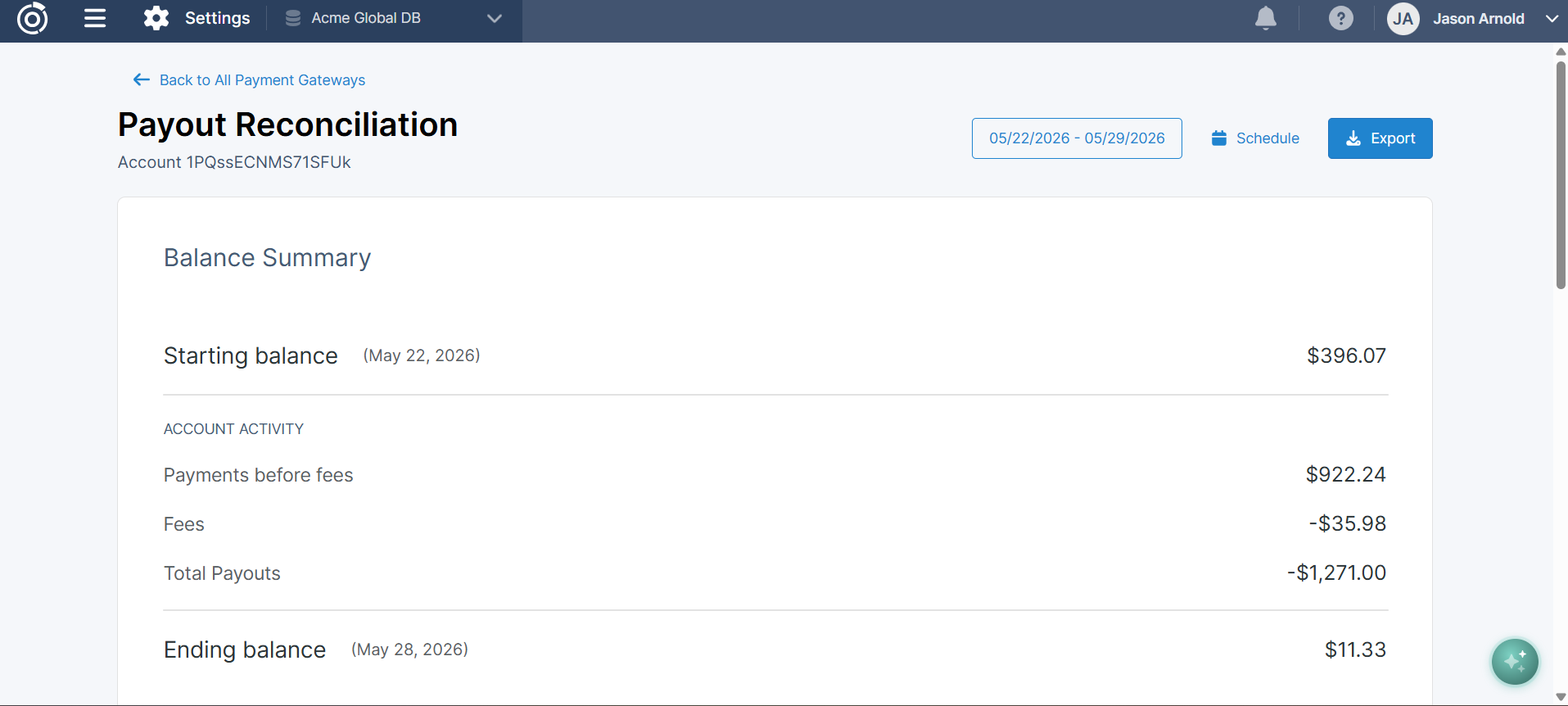
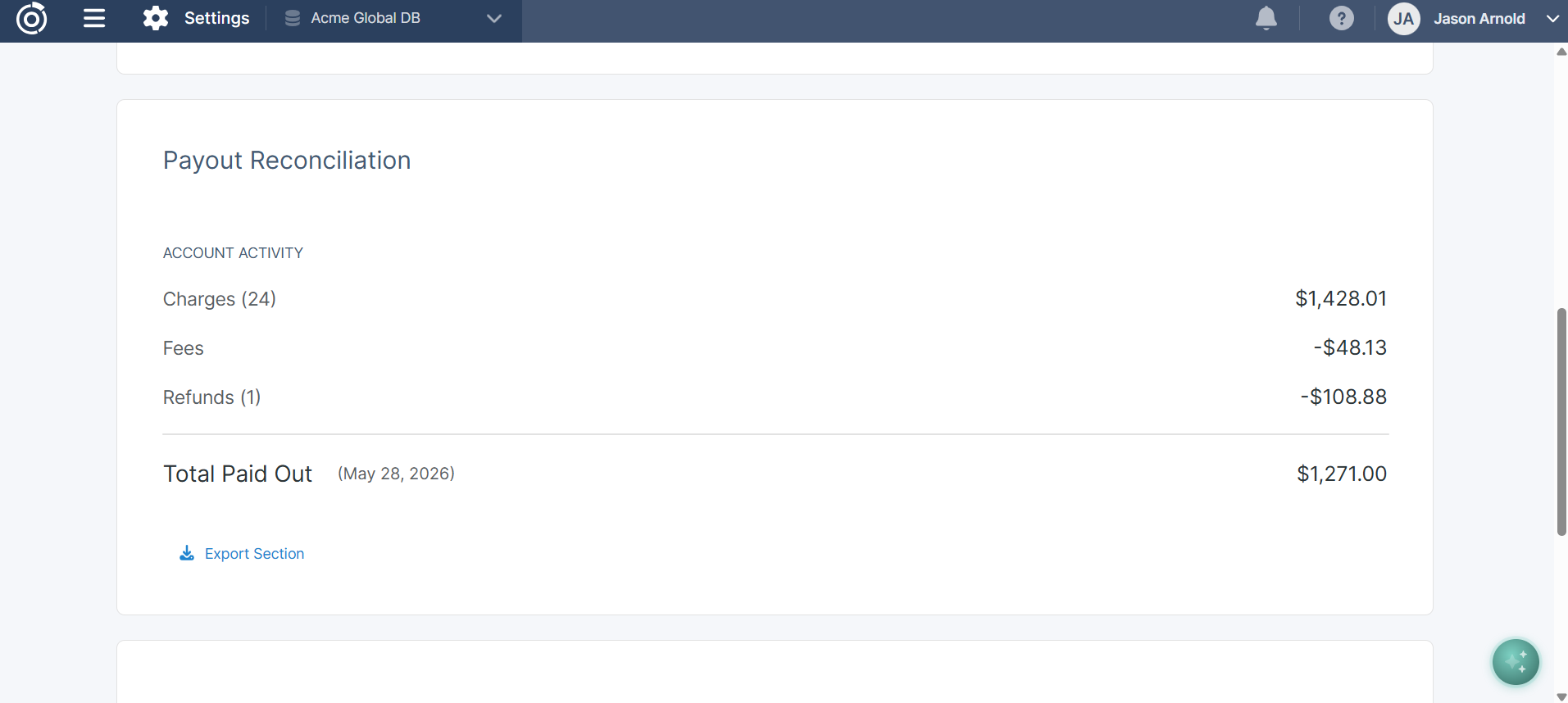
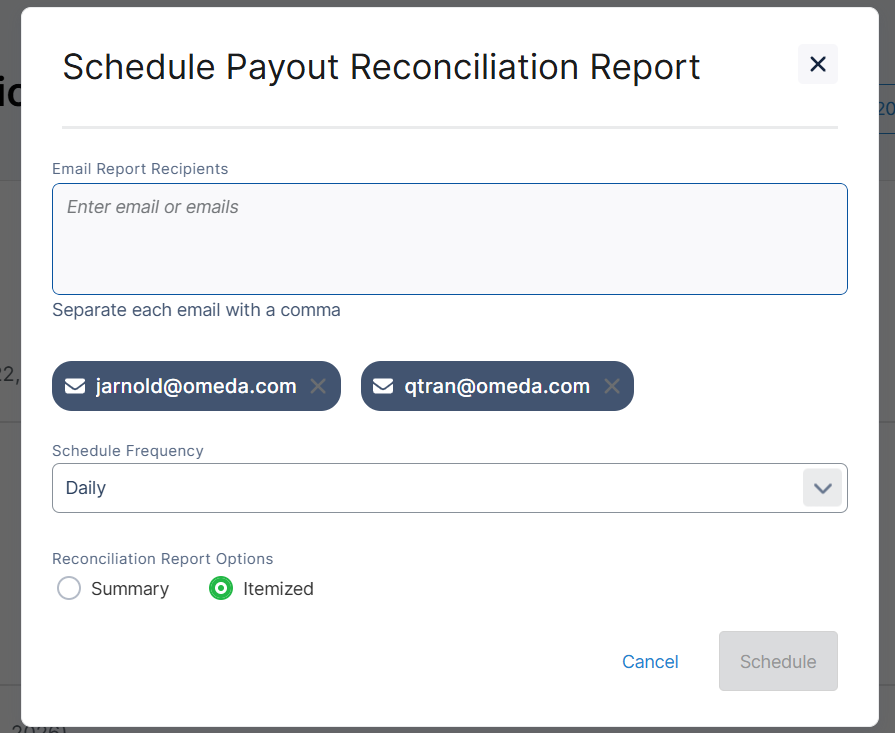
Payout Reconciliation Report for Stripe Express Accounts
The Stripe Payout Reconciliation report is a new report that can used by Stripe Express customers to match the payouts deposited into your bank account against the individual transactions (charges, refunds, fees, and adjustments) that make up each payout. It can be used to help finance and accounting teams verify that Stripe's records align with your bank statements, making it easier to identify discrepancies and maintain accurate books.
CDP
Smoother Multi-Form Personalization Experiences
We’ve improved how multi-form personalizations handle differences in form size, creating a more polished and consistent user experience.
When multiple forms with varying dimensions were used in a single personalization flow, shorter forms could inherit extra space from previously displayed, longer forms. This often left unnecessary empty space within the modal.
Now, the modal automatically resizes to accommodate each form’s dimensions as users move between them. This ensures each form displays cleanly without layout issues or visual disruption.
The result is a smoother, more cohesive experience across personalized flows—helping maintain a professional look and reducing visual friction for your users.
Table of Contents
Questions?
Omeda customers should reach out to their Client Success Manager or search the Knowledge Base for assistance. Comprehensive platform training can also be found on the Omeda Academy.
If you’re new to Omeda, please reach out to sales@omeda.com for assistance.