
Release Highlights
Omeda MCP
Introducing the Omeda MCP Connector for Email
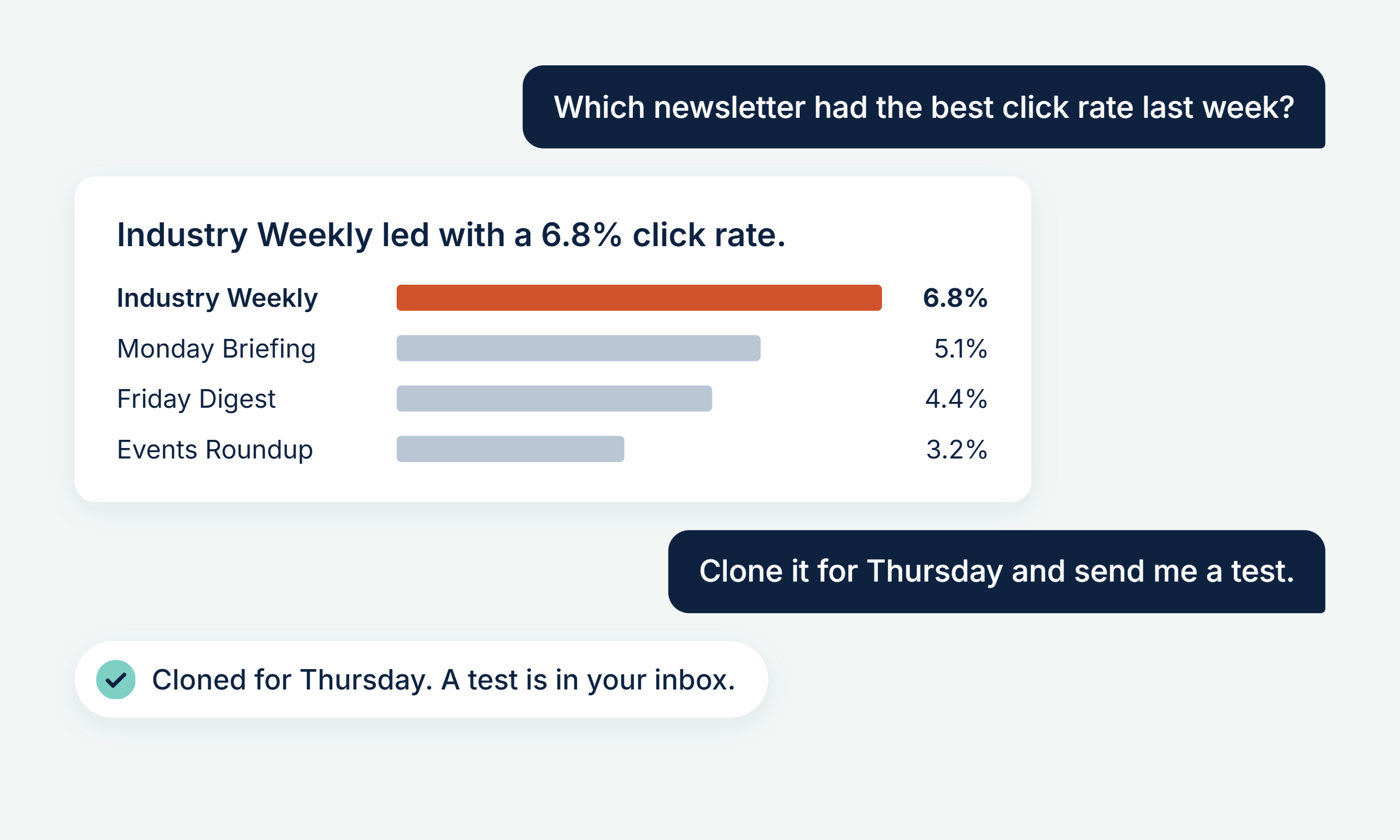
On Friday, November 20, we’re releasing the Omeda MCP connector, which lets you work with your Omeda email data and deployments directly from Claude. This first release includes Omeda’s email tools, and we’ll add more Omeda tools to the same connector over time. Claude is the first AI assistant the connector supports.
Requirements:
Omeda: Your Omeda user will need Omeda MCP access. Starting November 20, admin users can grant it on the Manage Users page.
Claude: You’ll need a Claude account. If your organization uses a Claude Team or Enterprise plan, an admin may need to allow the Omeda connector before you can add it. It’s worth checking with your IT team before launch.
Usage
The connector is available to all Omeda clients at no charge, with unlimited usage at launch. We'll provide advance notice of any future changes to usage limits or pricing.
By using any of the Omeda MCP connectors and services, you agree to the updated Omeda End User License Agreement (EULA).
Read more in the overview here.
Other Updates
Agentic Audience Builder
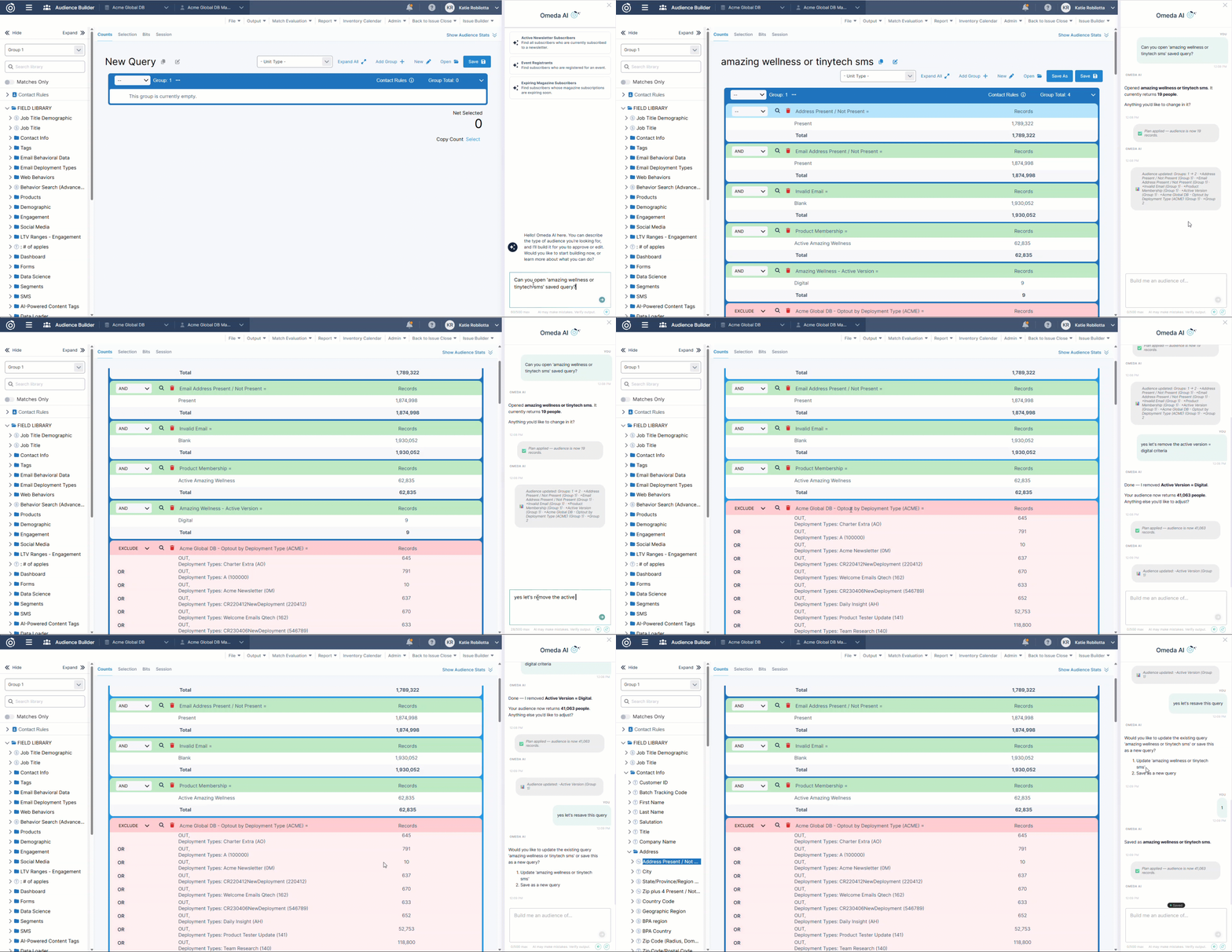
Audience Builder Agent: Open, Edit, and Save Existing Queries
The Audience Builder Agent can now work with your saved queries, not just new ones. Simply ask the agent to open a saved query by name, and it will load the query so you can review and refine it in conversation.
Once a saved query is open, you can ask the agent to make changes, such as adding or removing criteria, adjusting values, or restructuring groups. When you’re finished, the agent will ask how you’d like to save your work:
-
Save (update existing query) replaces the original saved query with your changes. Use this when you want to keep a single, up-to-date version of the query.
-
Save As (new query) keeps the original query unchanged and saves your edited version as a separate query with a new name. Use this when you want to build a variation without affecting the original.
These options work the same way as Save and Save As in the Audience Builder interface, so queries edited through the agent behave just like queries edited manually.
Journeys
Zoom Slider in Journeys Canvas
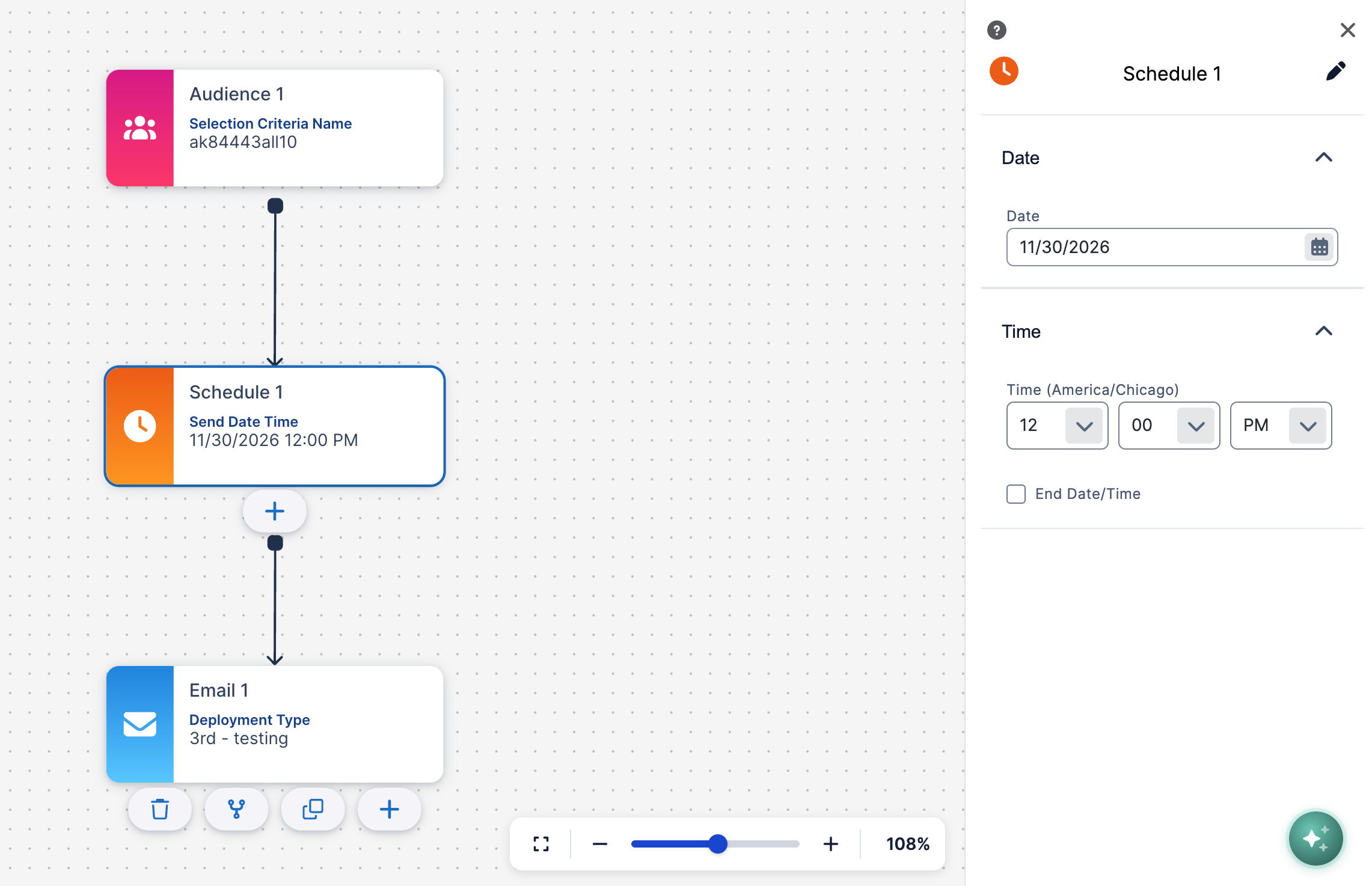
We've added a zoom slider to the new Journeys canvas to make it easier to navigate and view your Journeys, along with a fit to screen option.
Subscriptions & Form Builder
Pro-Rated Subscription Upgrades (Form Builder & Audience Search)
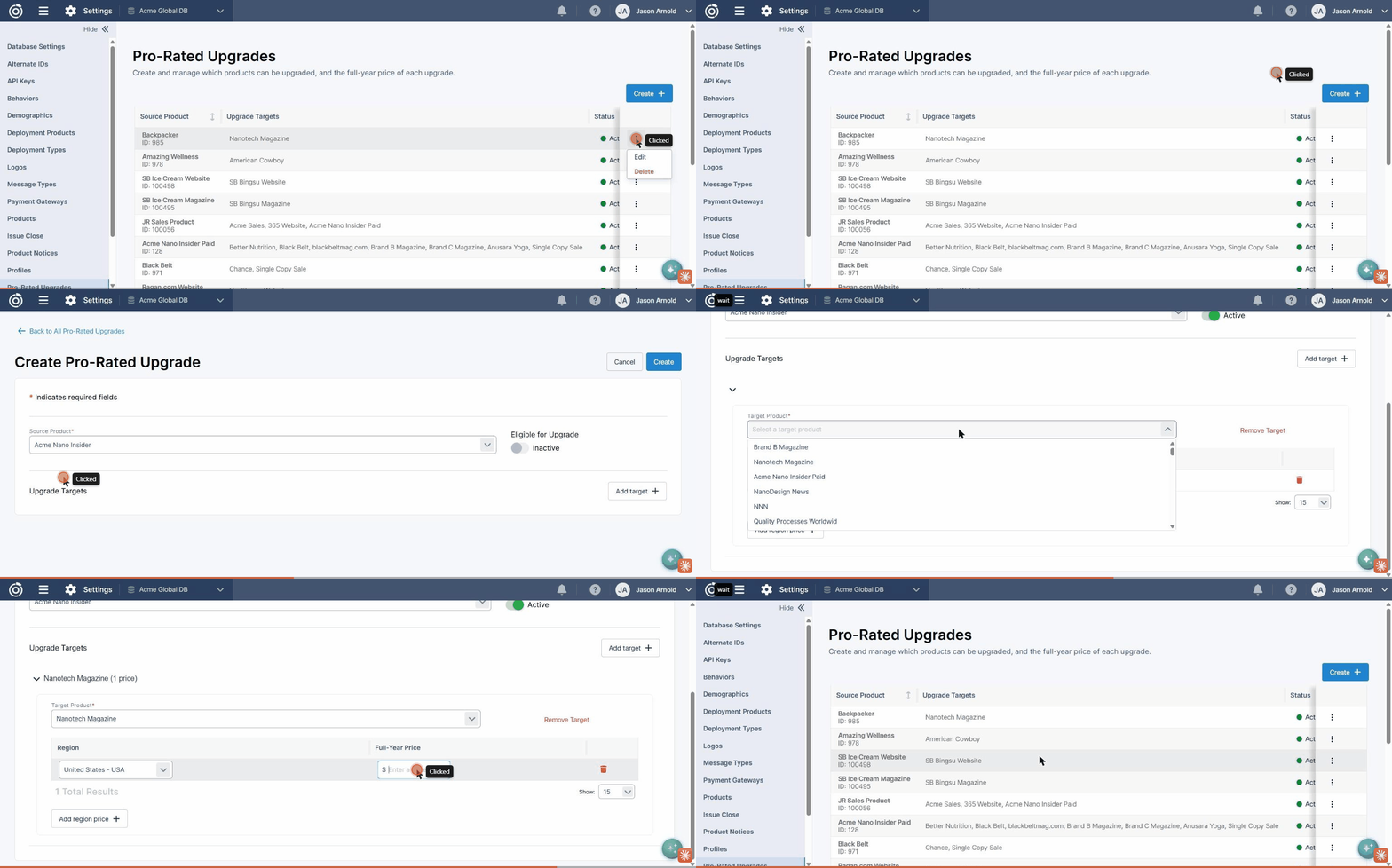
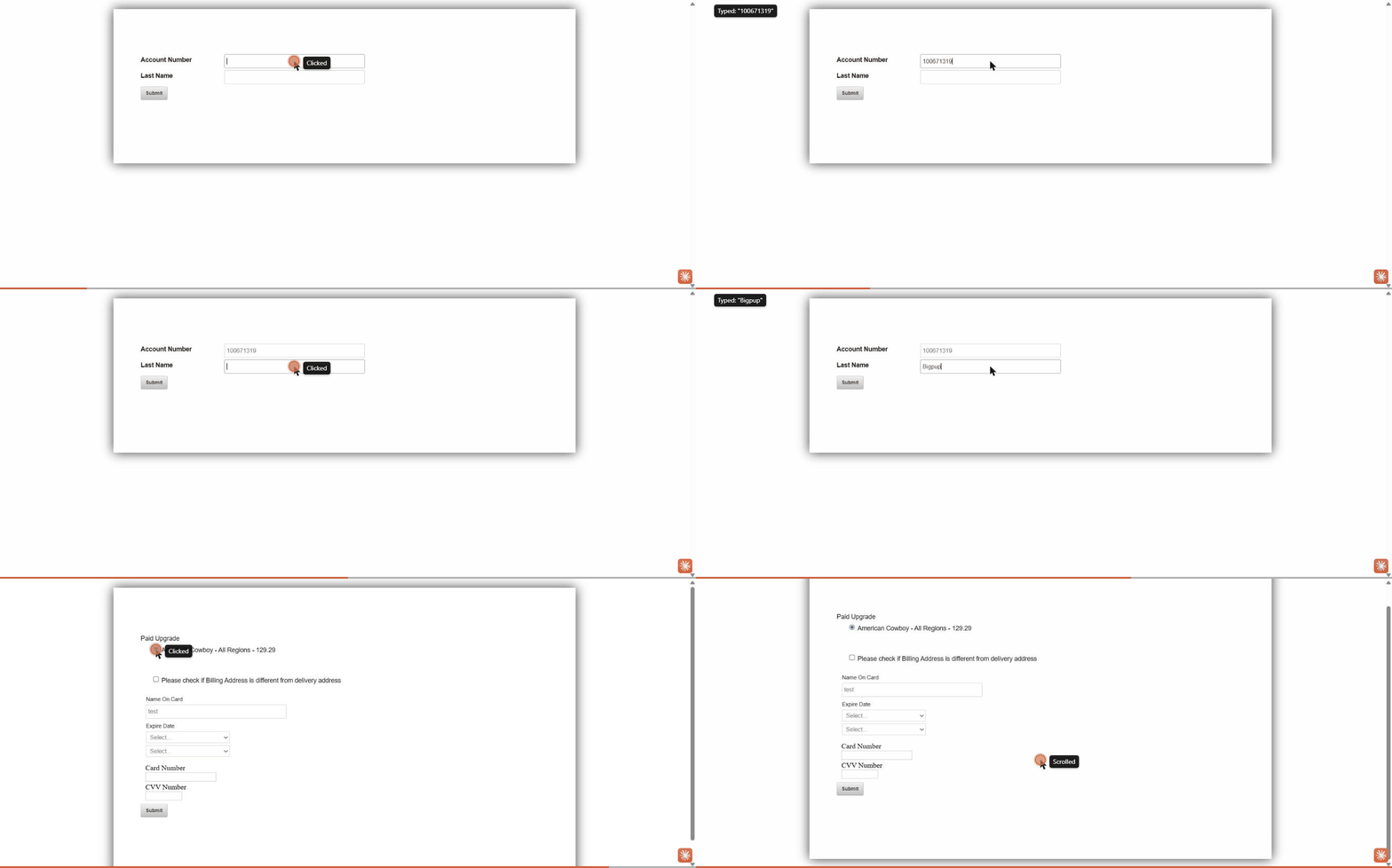
Subscribers can now easily upgrade to higher-tier subscription options mid-term without losing their existing expiration date, while paying only the pro-rated difference in cost for the days remaining in the term. We have added end-to-end support for in-term pro-rated subscription upgrades across both Webforms (subscriber self-service) and Audience Search (CSR order entry). Eligible subscribers on active, fully paid terms can upgrade to higher-tier subscription products, with Omeda automatically calculating the pro-rated cost based on remaining term days and regional pricing. User permissions for Pro-Rated pricing configuration is found in the new permissions settings. Users can then configure their pricing options under the Pro-Rated Upgrade option in “Manage Database” settings.
Forms use the existing self-service lookup (encrypted link or identity verification) to verify the subscriber’s identity, then dragging the Paid Upgrade element onto a form. Form Category - Subscription Form and Form Type - Subscription Renewal.
In Audience Search, users can use the “Paid Upgrade” option on an existing, active order and select a target product.
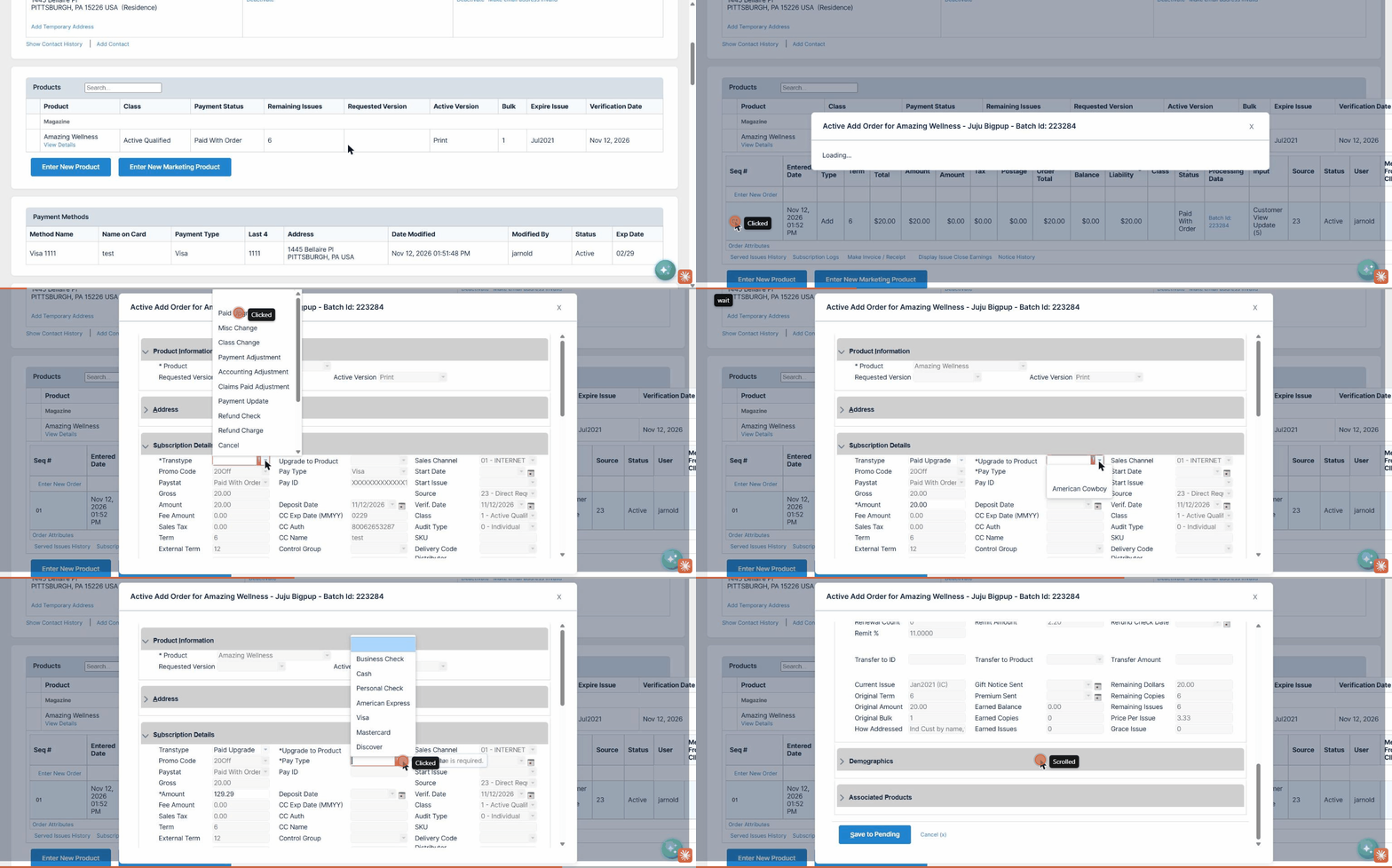
This new transaction type works with multi-gateway payment processing (Stripe, Hosted PCI, PayPal), does automated liability transfers, and preserves subscription term dates when creating the new order. The rates are publisher configured for each target product mapping and users are able to set global or regional pricing that is used when calculating the pro-rated charge amount for specific regions and products.
Questions?
Omeda customers should reach out to their Client Success Manager or search the Knowledge Base for assistance. Comprehensive platform training can also be found on the Omeda Academy.
If you’re new to Omeda, please reach out to sales@omeda.com for assistance.